Yep, we may get a tiny thank-you (read: commission) when you buy through
links on Gadgetspotr — not enough for a yacht, but enough to keep the lights (and
servers) on.
Learn more
11
Highlights
33
Differences
6
Reactions
0
Likes
MSI Claw 8 AI+
vs
ASUS ROG Ally:
11 Highlights & 33 Differences —
Which One Excels In Portability And Design?
Learn which device wins in portability and screen protection. Casual or hardcore gaming, find your perfect match.
What sets MSI Claw 8 AI+ apart from ASUS ROG Ally? This handheld consoles face-off compares specs like color options, portability focus, region compatibility & expandability and beyond.
MSI Claw 8 AI+ vs ASUS ROG Ally: Portable Gaming Giants Face Off
Both the MSI Claw 8 AI+ and the ASUS ROG Ally shake up the portable gaming scene by offering powerful, compact devices tailored to gamers on the move. Each boasts high-performance hardware, including high CPU clock speeds (4.8 GHz for MSI and 4.5 GHz for ASUS), extensive storage capacities, and a suite of modern features like performance modes, HDR support, and advanced Bluetooth 5.3 connectivity. But their distinctions, from screen aspect ratios and protective features to battery standby life and accessory availability, make them uniquely suited for different types of gamers and budgets.
Unpacking the MSI Claw 8 AI+: Size, Power, and Expandability
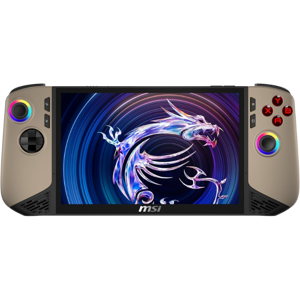
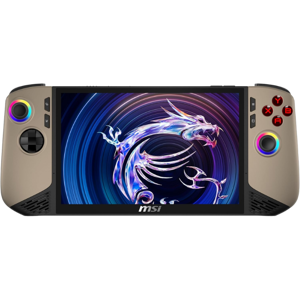
The MSI Claw 8 AI+ impresses primarily with its solid build and generous screen dimensions, sporting a 16:10 aspect ratio that offers slightly more vertical screen real estate compared to ASUS's narrower 16:9. Although it weighs more (1.75 lbs versus ASUS's 1.34 lbs), the expanded footprint translates into a potentially more immersive gaming experience. Its higher 4.8 GHz CPU clock speed and top-tier graphics performance offer a capable platform for casual gamers who want robust performance.
Where the MSI system really shines is its accessory ecosystem. The availability of an official accessory lineup, including protective cases, charging accessories, and replacement parts, ensures users can maintain and customize their device easily. This extendability is complemented by its expandable system design, allowing gamers to tweak or upgrade components. For content creators or competitive gamers relying on fast, precise input, features like the low input latency, Hall Effect analog stick technology, and built-in gyroscope are important for enhanced control.
ASUS ROG Ally: Sleek Portability Meets Durable Design
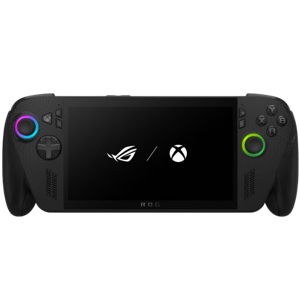
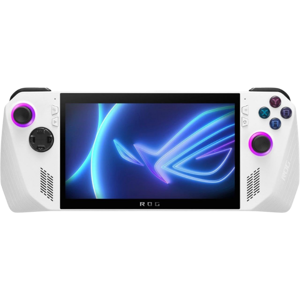
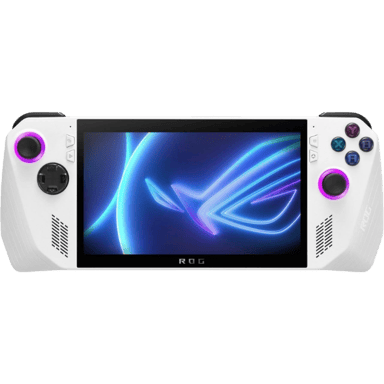
Meanwhile, the ASUS ROG Ally focuses on maximum portability without skimping on performance. It is significantly lighter and more compact, appealing to hardcore gaming enthusiasts who desire a device that can be slipped easily into a bag or even held comfortably during extended sessions. The Ally's standout feature is its tempered glass panel protection, providing important durability that the MSI lacks.
Though its CPU clock peaks at 4.5 GHz, it's still well within the realm of high-end portable gaming performance. The device features the now-standard 16:9 aspect ratio and a slightly longer standby battery life of over 24 hours, compared to MSI's 7 days, which could translate to more convenience and less frequent charging for casual use. Its single white color option keeps the design simple and sleek.
However, its ecosystem is a bit leaner, missing official protective cases and some accessory options, which could be a tradeoff for users wanting a heavily customizable package. Still, it supports expandability and covers the essentials gamers look for, including a high-performance display, advanced wireless audio, and strong connectivity options through USB-C and video output.
Quick Take
The MSI Claw 8 AI+ triumphs with its larger, immersive screen and rich accessory lineup that breathes life into its expandability promise. Meanwhile, the ASUS ROG Ally scores points for its precise engineering focused on durability, portability, and cost-efficiency, making it especially inviting for gamers seeking value and endurance.
Bottom Line
Choosing between the MSI Claw 8 AI+ and the ASUS ROG Ally largely depends on your priorities. If you want a device that emphasizes a larger, high-quality display with robust expandability and don't mind investing more upfront, MSI is a compelling pick. For those who prize portability, a durable screen with tempered glass protection, and a more wallet-friendly price, the ASUS ROG Ally has the edge as a versatile handheld.
Ultimately, the Ally is the go-to for streamlined portability and affordability, while the Claw 8 AI+ caters to gamers ready to pay a premium for added size and accessory options.
Verdict
Winner: ASUS ROG Ally - Balances portability, durability, and price, making it ideal for most gamers.
Runner-up: MSI Claw 8 AI+ - Offers a larger display and richer accessory ecosystem at a higher cost, suited for dedicated casual gamers.
Side by side. The numbers. The features. No drama.
From feature sets to real-life wins and flaws, this handheld consoles comparison between MSI Claw 8 AI+ and ASUS ROG Ally helps you cut through the noise.
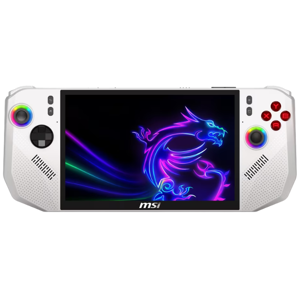
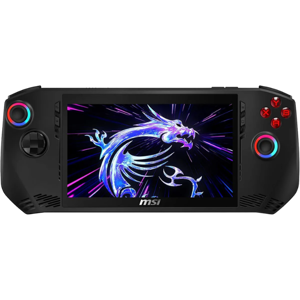
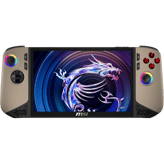
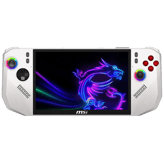
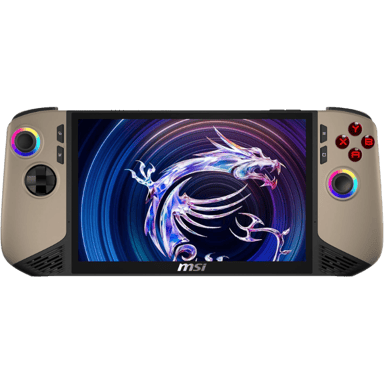
Color options for MSI Claw 8 AI+ are Black and White, providing users a choice, while ASUS ROG Ally offers only White. Those valuing color variety may prefer MSI Claw 8 AI+ for more customization in appearance.
Indicates the available color variants.
In the battle of Color Options,
MSI Claw 8 AI+ ◉ is
same as
ASUS ROG Ally ◉
.
Based on community votes for Color Options,
MSI Claw 8 AI+ ◉ earned
1 votes,
more than
ASUS ROG Ally ◉,
which got 0 votes.
Both MSI Claw 8 AI+ and ASUS ROG Ally emphasize portability, making them convenient for on-the-go gaming. Their focus on easy transport helps suit users who game outside the home frequently.
Shows whether portability is a key design priority.
In the battle of Portability Focus,
MSI Claw 8 AI+ ◉ is
same as
ASUS ROG Ally ◉
.
Don’t keep it to yourself — be the first to react and review the
Portability Focus on MSI Claw 8 AI+ ◉
vs ASUS ROG Ally ◉ and help others decide!
Both MSI Claw 8 AI+ and ASUS ROG Ally offer global region compatibility, ensuring they can be used internationally without restriction. This universal support makes both devices equally versatile for gaming anywhere in the world.
Indicates whether the device works across regions.
In the battle of Region Compatibility,
MSI Claw 8 AI+ ◉ is
same as
ASUS ROG Ally ◉
.
Don’t keep it to yourself — be the first to react and review the
Region Compatibility on MSI Claw 8 AI+ ◉
vs ASUS ROG Ally ◉ and help others decide!
MSI Claw 8 AI+ and ASUS ROG Ally both feature expandability options, allowing users to add or upgrade components. This similarity ensures gamers on either device can customize or enhance performance over time.
Shows if the system supports future expansion or upgrades.
In the battle of Expandability,
MSI Claw 8 AI+ ◉ is
same as
ASUS ROG Ally ◉
.
Don’t keep it to yourself — be the first to react and review the
Expandability on MSI Claw 8 AI+ ◉
vs ASUS ROG Ally ◉ and help others decide!
Release Year
What year was it released?
0
MSI Claw 8 AI+
0Votes
2025
0
ASUS ROG Ally
0Votes
2023
MSI Claw 8 AI+
The release year of the device is 2025, indicating it is a forthcoming or recently launched product.
Shows the year the product was officially released.
In the battle of Release Year,
MSI Claw 8 AI+ ◉ is
same as
ASUS ROG Ally ◉
.
Don’t keep it to yourself — be the first to react and review the
Release Year on MSI Claw 8 AI+ ◉
vs ASUS ROG Ally ◉ and help others decide!
Intended User
Who is this handheld intended for?
0
MSI Claw 8 AI+
0Votes
Casual Gamers
0
ASUS ROG Ally
0Votes
Hardcore Gamers
vs
Intended User
The intended user differs: MSI Claw 8 AI+ targets casual gamers, while ASUS ROG Ally is built for hardcore gamers. This means the ASUS ROG Ally likely offers more optimized features for demanding play styles, making it more suitable for serious gamers.
Specifies the primary target audience for the device.
In the battle of Intended User,
MSI Claw 8 AI+ ◉ is
same as
ASUS ROG Ally ◉
.
Don’t keep it to yourself — be the first to react and review the
Intended User on MSI Claw 8 AI+ ◉
vs ASUS ROG Ally ◉ and help others decide!
Operating System
What operating system does this handheld console use?
0
MSI Claw 8 AI+
0Votes
Windows
0
ASUS ROG Ally
0Votes
Windows
Specifies the core operating system that runs the handheld console and determines software compatibility, ecosystem access, and update flexibility.
In the battle of Operating System,
MSI Claw 8 AI+ ◉ is
same as
ASUS ROG Ally ◉
.
Don’t keep it to yourself — be the first to react and review the
Operating System on MSI Claw 8 AI+ ◉
vs ASUS ROG Ally ◉ and help others decide!
Usage Mode
What usage modes are supported?
0
MSI Claw 8 AI+
0Votes
Handheld Only
0
ASUS ROG Ally
0Votes
Handheld + Docked
Describes how the console is typically used.
In the battle of Usage Mode,
MSI Claw 8 AI+ ◉ is
same as
ASUS ROG Ally ◉
.
Don’t keep it to yourself — be the first to react and review the
Usage Mode on MSI Claw 8 AI+ ◉
vs ASUS ROG Ally ◉ and help others decide!
Primary Material
What is the primary material of the console body?
0
MSI Claw 8 AI+
0Votes
Plastic
0
ASUS ROG Ally
0Votes
Plastic
Describes the main material used for the handheld console’s exterior housing, affecting durability, weight, and premium feel.
In the battle of Primary Material,
MSI Claw 8 AI+ ◉ is
same as
ASUS ROG Ally ◉
.
Don’t keep it to yourself — be the first to react and review the
Primary Material on MSI Claw 8 AI+ ◉
vs ASUS ROG Ally ◉ and help others decide!
Build Finish
What is the build finish?
0
MSI Claw 8 AI+
0Votes
Matte
0
ASUS ROG Ally
0Votes
Matte
Describes the surface finish of the device.
In the battle of Build Finish,
MSI Claw 8 AI+ ◉ is
same as
ASUS ROG Ally ◉
.
Don’t keep it to yourself — be the first to react and review the
Build Finish on MSI Claw 8 AI+ ◉
vs ASUS ROG Ally ◉ and help others decide!
Ergonomic Design
Is the design ergonomic?
Yes
0Votes
MSI Claw 8 AI+
Yes
0Votes
ASUS ROG Ally
Indicates whether the device is designed for comfortable long-term use.
In the battle of Ergonomic Design,
MSI Claw 8 AI+ ◉ is
same as
ASUS ROG Ally ◉
.
Don’t keep it to yourself — be the first to react and review the
Ergonomic Design on MSI Claw 8 AI+ ◉
vs ASUS ROG Ally ◉ and help others decide!
Durability Rating
What is the durability rating of the console?
0
MSI Claw 8 AI+
0Votes
High
0
ASUS ROG Ally
0Votes
Medium
Indicates the overall resistance of the handheld console to drops, wear, and long-term usage stress.
In the battle of Durability Rating,
MSI Claw 8 AI+ ◉ is
same as
ASUS ROG Ally ◉
.
Don’t keep it to yourself — be the first to react and review the
Durability Rating on MSI Claw 8 AI+ ◉
vs ASUS ROG Ally ◉ and help others decide!
Repairability Level
How repairable is the device?
0
MSI Claw 8 AI+
0Votes
Medium
0
ASUS ROG Ally
0Votes
Low
Indicates how easy the device is to repair or service.
In the battle of Repairability Level,
MSI Claw 8 AI+ ◉ is
same as
ASUS ROG Ally ◉
.
Don’t keep it to yourself — be the first to react and review the
Repairability Level on MSI Claw 8 AI+ ◉
vs ASUS ROG Ally ◉ and help others decide!
The device width greatly differs: MSI Claw 8 AI+ measures 11.77 inches while ASUS ROG Ally is only 4.37 inches wide. ASUS ROG Ally is significantly more compact, making it more suitable for portable gaming.
Measures the horizontal size of the console from side to side.
In the battle of Width,
MSI Claw 8 AI+ ◉ is
worse than
ASUS ROG Ally ◉
, delivering
higher
7.4 inch
measurement.
Don’t keep it to yourself — be the first to react and review the
Width on MSI Claw 8 AI+ ◉
vs ASUS ROG Ally ◉ and help others decide!
Package width is 14.57 inches for MSI Claw 8 AI+ and 11.3 inches for ASUS ROG Ally. The smaller packaging of ASUS ROG Ally implies easier handling and storage, reinforcing its portable design.
Width of the retail packaging.
In the battle of Package Width,
MSI Claw 8 AI+ ◉ is
worse than
ASUS ROG Ally ◉
, delivering
higher
3.3 inch
measurement.
Don’t keep it to yourself — be the first to react and review the
Package Width on MSI Claw 8 AI+ ◉
vs ASUS ROG Ally ◉ and help others decide!
Package depth is 9.84 inches for MSI Claw 8 AI+, contrasted with 5.5 inches for ASUS ROG Ally. The reduced depth of ASUS ROG Ally aids in portability and easier storage.
Depth of the retail packaging.
In the battle of Package Depth,
MSI Claw 8 AI+ ◉ is
worse than
ASUS ROG Ally ◉
, delivering
higher
4.3 inch
measurement.
Don’t keep it to yourself — be the first to react and review the
Package Depth on MSI Claw 8 AI+ ◉
vs ASUS ROG Ally ◉ and help others decide!
MSI Claw 8 AI+ has a package height of 4.72 inches compared to ASUS ROG Ally's 3.5 inches. This indicates ASUS ROG Ally is more compact in height when packaged, benefiting users with limited storage or travel space.
Height of the retail packaging.
In the battle of Package Height,
MSI Claw 8 AI+ ◉ is
worse than
ASUS ROG Ally ◉
, delivering
higher
1.2 inch
measurement.
Don’t keep it to yourself — be the first to react and review the
Package Height on MSI Claw 8 AI+ ◉
vs ASUS ROG Ally ◉ and help others decide!
Weight
How much does the console weigh?
1.75
lbs
0Votes
1.34
lbs
1Votes
vs
Weight
The MSI Claw 8 AI+ weighs 1.75 lbs, heavier than the ASUS ROG Ally at 1.34 lbs. ASUS ROG Ally's lighter weight is more advantageous for portability and longer handheld use without fatigue.
Indicates the overall weight of the device for portability.
In the battle of Weight,
MSI Claw 8 AI+ ◉ is
worse than
ASUS ROG Ally ◉
, delivering
higher
0.4 lbs
measurement.
Based on community votes for Weight,
MSI Claw 8 AI+ ◉ earned
0 votes,
less than
ASUS ROG Ally ◉,
which got 1 votes.
MSI Claw 8 AI+ has a 16:10 aspect ratio, giving more vertical screen space compared to ASUS ROG Ally's 16:9. The 16:10 ratio benefits productivity and some gaming genres with additional vertical viewing area.
Describes the proportional relationship between width and height.
In the battle of Aspect Ratio,
MSI Claw 8 AI+ ◉ is
same as
ASUS ROG Ally ◉
.
Don’t keep it to yourself — be the first to react and review the
Aspect Ratio on MSI Claw 8 AI+ ◉
vs ASUS ROG Ally ◉ and help others decide!
What type of panel protection does the display feature?
0
MSI Claw 8 AI+
0Votes
None
0
ASUS ROG Ally
0Votes
Tempered Glass
vs
Panel Protection
MSI Claw 8 AI+ does not feature panel protection, whereas ASUS ROG Ally includes tempered glass. ASUS ROG Ally offers better durability and screen protection, ideal for users concerned about accidental damage.
Refers to protective layers applied to the display surface to prevent scratches and damage.
In the battle of Panel Protection,
MSI Claw 8 AI+ ◉ is
same as
ASUS ROG Ally ◉
.
Don’t keep it to yourself — be the first to react and review the
Panel Protection on MSI Claw 8 AI+ ◉
vs ASUS ROG Ally ◉ and help others decide!
Screen Size
What is the screen size?
8
inch
0Votes
7
inch
0Votes
MSI Claw 8 AI+
The screen size is 8 inch, approximately 20.32 cm, balanced for portability and visual clarity.
ASUS ROG Ally
The device features a 7-inch display, shown as 7 inch (17.78 cm) when converted to metric.
Indicates the diagonal size of the display.
In the battle of Screen Size,
MSI Claw 8 AI+ ◉ is
better than
ASUS ROG Ally ◉
, delivering
higher
1.0 inch
measurement.
Don’t keep it to yourself — be the first to react and review the
Screen Size on MSI Claw 8 AI+ ◉
vs ASUS ROG Ally ◉ and help others decide!
Refresh Rate
What is the refresh rate?
120
Hz
0Votes
120
Hz
0Votes
MSI Claw 8 AI+
The refresh rate is 120 Hz, delivering smoother motion visuals and improved responsiveness during gameplay.
ASUS ROG Ally
The display supports a 120 Hz refresh rate, delivering smoother motion and reduced input lag for fast-paced games.
Indicates how many times the screen refreshes per second.
In the battle of Refresh Rate,
MSI Claw 8 AI+ ◉ is
same as
ASUS ROG Ally ◉
, delivering
equal
120.00 Hz
measurement.
Don’t keep it to yourself — be the first to react and review the
Refresh Rate on MSI Claw 8 AI+ ◉
vs ASUS ROG Ally ◉ and help others decide!
Screen Type
What type of screen does it use?
0
MSI Claw 8 AI+
0Votes
LCD
0
ASUS ROG Ally
0Votes
LED
ASUS ROG Ally
The screen type is LED, which affects contrast and power characteristics compared with OLED panels.
Defines the underlying display panel technology.
In the battle of Screen Type,
MSI Claw 8 AI+ ◉ is
same as
ASUS ROG Ally ◉
.
Don’t keep it to yourself — be the first to react and review the
Screen Type on MSI Claw 8 AI+ ◉
vs ASUS ROG Ally ◉ and help others decide!
Resolution Width
What is the resolution width level?
0
MSI Claw 8 AI+
0Votes
High
0
ASUS ROG Ally
0Votes
High
vs
Resolution Width
Both MSI Claw 8 AI+ and ASUS ROG Ally possess high resolution widths, ensuring detailed and sharp display output. Neither clearly outperforms the other in display resolution, making both solid choices for visual quality.
Categorizes the horizontal resolution clarity level of the display.
In the battle of Resolution Width,
MSI Claw 8 AI+ ◉ is
same as
ASUS ROG Ally ◉
.
Don’t keep it to yourself — be the first to react and review the
Resolution Width on MSI Claw 8 AI+ ◉
vs ASUS ROG Ally ◉ and help others decide!
Resolution Height
What is the resolution height level?
0
MSI Claw 8 AI+
0Votes
High
0
ASUS ROG Ally
0Votes
High
Categorizes the vertical resolution clarity level of the display.
In the battle of Resolution Height,
MSI Claw 8 AI+ ◉ is
same as
ASUS ROG Ally ◉
.
Don’t keep it to yourself — be the first to react and review the
Resolution Height on MSI Claw 8 AI+ ◉
vs ASUS ROG Ally ◉ and help others decide!
Touchscreen
Does it support touchscreen input?
Yes
0Votes
MSI Claw 8 AI+
Yes
0Votes
ASUS ROG Ally
Shows whether the display supports touch input.
In the battle of Touchscreen,
MSI Claw 8 AI+ ◉ is
same as
ASUS ROG Ally ◉
.
Don’t keep it to yourself — be the first to react and review the
Touchscreen on MSI Claw 8 AI+ ◉
vs ASUS ROG Ally ◉ and help others decide!
Brightness Level
How bright is the display?
0
MSI Claw 8 AI+
0Votes
High
0
ASUS ROG Ally
0Votes
High
vs
Brightness Level
Brightness levels are high on both MSI Claw 8 AI+ and ASUS ROG Ally, facilitating good visibility even in brightly lit environments. Gamers can enjoy clear visuals without screen glare issues on either device.
Describes the overall brightness capability of the display.
In the battle of Brightness Level,
MSI Claw 8 AI+ ◉ is
same as
ASUS ROG Ally ◉
.
Don’t keep it to yourself — be the first to react and review the
Brightness Level on MSI Claw 8 AI+ ◉
vs ASUS ROG Ally ◉ and help others decide!
Color Gamut
What color gamut does the display support?
0
MSI Claw 8 AI+
0Votes
sRGB
0
ASUS ROG Ally
0Votes
sRGB
Describes the range of colors the display is capable of reproducing.
In the battle of Color Gamut,
MSI Claw 8 AI+ ◉ is
same as
ASUS ROG Ally ◉
.
Don’t keep it to yourself — be the first to react and review the
Color Gamut on MSI Claw 8 AI+ ◉
vs ASUS ROG Ally ◉ and help others decide!
HDR
Does it support HDR?
Yes
0Votes
MSI Claw 8 AI+
Yes
0Votes
ASUS ROG Ally
vs
HDR
Both devices support HDR, enhancing visual quality with higher contrast and color accuracy. This makes either gaming system excellent for immersive and vibrant gameplay experiences.
Indicates support for high dynamic range content.
In the battle of HDR,
MSI Claw 8 AI+ ◉ is
same as
ASUS ROG Ally ◉
.
Don’t keep it to yourself — be the first to react and review the
HDR on MSI Claw 8 AI+ ◉
vs ASUS ROG Ally ◉ and help others decide!
Bezel Size
How large are the bezels?
0
MSI Claw 8 AI+
0Votes
Thin
0
ASUS ROG Ally
0Votes
Thin
Describes the thickness of the display borders.
In the battle of Bezel Size,
MSI Claw 8 AI+ ◉ is
same as
ASUS ROG Ally ◉
.
Don’t keep it to yourself — be the first to react and review the
Bezel Size on MSI Claw 8 AI+ ◉
vs ASUS ROG Ally ◉ and help others decide!
Anti-Glare Coating
Does it have anti-glare coating?
Yes
0Votes
MSI Claw 8 AI+
Yes
0Votes
ASUS ROG Ally
Shows whether the screen reduces reflections.
In the battle of Anti-Glare Coating,
MSI Claw 8 AI+ ◉ is
same as
ASUS ROG Ally ◉
.
Don’t keep it to yourself — be the first to react and review the
Anti-Glare Coating on MSI Claw 8 AI+ ◉
vs ASUS ROG Ally ◉ and help others decide!
Variable Refresh Rate
Is variable refresh rate supported?
Yes
0Votes
MSI Claw 8 AI+
Yes
0Votes
ASUS ROG Ally
Indicates dynamic adjustment of refresh rate for smoother visuals.
In the battle of Variable Refresh Rate,
MSI Claw 8 AI+ ◉ is
same as
ASUS ROG Ally ◉
.
Don’t keep it to yourself — be the first to react and review the
Variable Refresh Rate on MSI Claw 8 AI+ ◉
vs ASUS ROG Ally ◉ and help others decide!
CPU clock speed is slightly higher on MSI Claw 8 AI+ at 4.8 GHz versus ASUS ROG Ally's 4.5 GHz. This marginal increase favors MSI Claw 8 AI+ in raw processing speed for CPU-intensive tasks.
Shows the operating speed of the CPU.
In the battle of CPU Clock Speed,
MSI Claw 8 AI+ ◉ is
better than
ASUS ROG Ally ◉
, delivering
higher
0.3 GHz
measurement.
Based on community votes for CPU Clock Speed,
MSI Claw 8 AI+ ◉ earned
1 votes,
more than
ASUS ROG Ally ◉,
which got 0 votes.
Both MSI Claw 8 AI+ and ASUS ROG Ally are equipped with a high number of CPU cores, supporting multitasking and efficient gaming. This parity means both devices can handle modern game requirements well.
Categorizes the CPU core count level for multitasking and performance.
In the battle of CPU Cores,
MSI Claw 8 AI+ ◉ is
same as
ASUS ROG Ally ◉
.
Based on community votes for CPU Cores,
MSI Claw 8 AI+ ◉ earned
1 votes,
more than
ASUS ROG Ally ◉,
which got 0 votes.
Internal storage capacity is high and comparable in both MSI Claw 8 AI+ and ASUS ROG Ally, allowing ample space for games and media. Users benefit from generous storage regardless of choice.
Categorizes built-in storage space for games and data.
In the battle of Internal Storage Capacity,
MSI Claw 8 AI+ ◉ is
same as
ASUS ROG Ally ◉
.
Don’t keep it to yourself — be the first to react and review the
Internal Storage Capacity on MSI Claw 8 AI+ ◉
vs ASUS ROG Ally ◉ and help others decide!
0
MSI Claw 8 AI+
0Votes
Power Saving, Balanced, Performance
0
ASUS ROG Ally
0Votes
Power Saving, Balanced, Performance
vs
Performance Modes
Performance modes including Power Saving, Balanced, and Performance are available on both MSI Claw 8 AI+ and ASUS ROG Ally. This gives users flexibility to optimize for battery life or peak performance as needed.
Defines selectable system performance profiles.
In the battle of Performance Modes,
MSI Claw 8 AI+ ◉ is
same as
ASUS ROG Ally ◉
.
Don’t keep it to yourself — be the first to react and review the
Performance Modes on MSI Claw 8 AI+ ◉
vs ASUS ROG Ally ◉ and help others decide!
Expandable Storage Type
What expandable storage type is supported?
0
MSI Claw 8 AI+
0Votes
microSDXC
0
ASUS ROG Ally
0Votes
microSD,microSDXC
MSI Claw 8 AI+
Expandable storage uses the microSDXC format, enabling high-capacity memory expansion.
ASUS ROG Ally
Expandable storage supports microSD,microSDXC, enabling easy capacity upgrades with widely available cards.
Indicates supported expandable storage formats.
In the battle of Expandable Storage Type,
MSI Claw 8 AI+ ◉ is
same as
ASUS ROG Ally ◉
.
Don’t keep it to yourself — be the first to react and review the
Expandable Storage Type on MSI Claw 8 AI+ ◉
vs ASUS ROG Ally ◉ and help others decide!
GPU Type
What type of gpu does it use?
0
MSI Claw 8 AI+
0Votes
Dedicated
0
ASUS ROG Ally
0Votes
Dedicated
ASUS ROG Ally
GPU type is Dedicated, indicating a separate graphics processor for stronger gaming performance compared with integrated solutions.
Describes the type of graphics processor used for rendering visuals.
In the battle of GPU Type,
MSI Claw 8 AI+ ◉ is
same as
ASUS ROG Ally ◉
.
Don’t keep it to yourself — be the first to react and review the
GPU Type on MSI Claw 8 AI+ ◉
vs ASUS ROG Ally ◉ and help others decide!
System Memory Capacity
How much system memory is available?
0
MSI Claw 8 AI+
0Votes
High
0
ASUS ROG Ally
0Votes
High
ASUS ROG Ally
System memory capacity is rated High, which supports multitasking and large game memory footprints.
Categorizes available system memory for games and applications.
In the battle of System Memory Capacity,
MSI Claw 8 AI+ ◉ is
same as
ASUS ROG Ally ◉
.
Don’t keep it to yourself — be the first to react and review the
System Memory Capacity on MSI Claw 8 AI+ ◉
vs ASUS ROG Ally ◉ and help others decide!
Memory Type
What type of memory does it use?
0
MSI Claw 8 AI+
0Votes
LPDDR5
0
ASUS ROG Ally
0Votes
LPDDR5
ASUS ROG Ally
Memory type is LPDDR5, delivering higher bandwidth and lower power consumption than previous LPDDR generations.
Specifies the type of memory technology used by the system.
In the battle of Memory Type,
MSI Claw 8 AI+ ◉ is
same as
ASUS ROG Ally ◉
.
Don’t keep it to yourself — be the first to react and review the
Memory Type on MSI Claw 8 AI+ ◉
vs ASUS ROG Ally ◉ and help others decide!
Storage Type
What type of storage does it use?
0
MSI Claw 8 AI+
0Votes
NVMe
0
ASUS ROG Ally
0Votes
SSD
MSI Claw 8 AI+
Storage type is NVMe, providing high-speed data access and improved load times.
Describes the internal storage technology.
In the battle of Storage Type,
MSI Claw 8 AI+ ◉ is
same as
ASUS ROG Ally ◉
.
Don’t keep it to yourself — be the first to react and review the
Storage Type on MSI Claw 8 AI+ ◉
vs ASUS ROG Ally ◉ and help others decide!
Processor Type
What processor type does it use?
0
MSI Claw 8 AI+
0Votes
x86
0
ASUS ROG Ally
0Votes
x86
Identifies the processor architecture used by the handheld console.
In the battle of Processor Type,
MSI Claw 8 AI+ ◉ is
same as
ASUS ROG Ally ◉
.
Don’t keep it to yourself — be the first to react and review the
Processor Type on MSI Claw 8 AI+ ◉
vs ASUS ROG Ally ◉ and help others decide!
Graphics Performance Tier
What is the graphics performance tier?
0
MSI Claw 8 AI+
0Votes
High
0
ASUS ROG Ally
0Votes
High
vs
Graphics Performance Tier
Both MSI Claw 8 AI+ and ASUS ROG Ally carry high-tier graphics performance, suitable for demanding games. Users looking for strong visual performance can confidently choose either device.
Categorizes overall graphical capability.
In the battle of Graphics Performance Tier,
MSI Claw 8 AI+ ◉ is
same as
ASUS ROG Ally ◉
.
Don’t keep it to yourself — be the first to react and review the
Graphics Performance Tier on MSI Claw 8 AI+ ◉
vs ASUS ROG Ally ◉ and help others decide!
Cooling Method
What cooling method is used?
0
MSI Claw 8 AI+
0Votes
Active
0
ASUS ROG Ally
0Votes
Active
Describes how heat is managed internally.
In the battle of Cooling Method,
MSI Claw 8 AI+ ◉ is
same as
ASUS ROG Ally ◉
.
Don’t keep it to yourself — be the first to react and review the
Cooling Method on MSI Claw 8 AI+ ◉
vs ASUS ROG Ally ◉ and help others decide!
Thermal Design Rating
How strong is the thermal design?
0
MSI Claw 8 AI+
0Votes
High
0
ASUS ROG Ally
0Votes
High
Indicates thermal tolerance under load.
In the battle of Thermal Design Rating,
MSI Claw 8 AI+ ◉ is
same as
ASUS ROG Ally ◉
.
Don’t keep it to yourself — be the first to react and review the
Thermal Design Rating on MSI Claw 8 AI+ ◉
vs ASUS ROG Ally ◉ and help others decide!
Multitasking
Does it support multitasking?
Yes
0Votes
MSI Claw 8 AI+
Yes
0Votes
ASUS ROG Ally
Indicates ability to run multiple tasks smoothly.
In the battle of Multitasking,
MSI Claw 8 AI+ ◉ is
same as
ASUS ROG Ally ◉
.
Don’t keep it to yourself — be the first to react and review the
Multitasking on MSI Claw 8 AI+ ◉
vs ASUS ROG Ally ◉ and help others decide!
Boot Time
How fast is the boot time?
0
MSI Claw 8 AI+
0Votes
Fast
0
ASUS ROG Ally
0Votes
Fast
Describes how quickly the system starts up from power on.
In the battle of Boot Time,
MSI Claw 8 AI+ ◉ is
same as
ASUS ROG Ally ◉
.
Don’t keep it to yourself — be the first to react and review the
Boot Time on MSI Claw 8 AI+ ◉
vs ASUS ROG Ally ◉ and help others decide!
Load Time Optimization
Are load times optimized?
Yes
0Votes
MSI Claw 8 AI+
Yes
0Votes
ASUS ROG Ally
Indicates optimizations for faster game loading.
In the battle of Load Time Optimization,
MSI Claw 8 AI+ ◉ is
same as
ASUS ROG Ally ◉
.
Don’t keep it to yourself — be the first to react and review the
Load Time Optimization on MSI Claw 8 AI+ ◉
vs ASUS ROG Ally ◉ and help others decide!
Hardware Acceleration
Is hardware acceleration supported?
Yes
0Votes
MSI Claw 8 AI+
Yes
0Votes
ASUS ROG Ally
Shows support for hardware-level performance boosts.
In the battle of Hardware Acceleration,
MSI Claw 8 AI+ ◉ is
same as
ASUS ROG Ally ◉
.
Don’t keep it to yourself — be the first to react and review the
Hardware Acceleration on MSI Claw 8 AI+ ◉
vs ASUS ROG Ally ◉ and help others decide!
System Stability Rating
How stable is the system?
0
MSI Claw 8 AI+
0Votes
High
0
ASUS ROG Ally
0Votes
High
Rates stability under sustained usage.
In the battle of System Stability Rating,
MSI Claw 8 AI+ ◉ is
same as
ASUS ROG Ally ◉
.
Don’t keep it to yourself — be the first to react and review the
System Stability Rating on MSI Claw 8 AI+ ◉
vs ASUS ROG Ally ◉ and help others decide!
Both devices use a cross-type D-pad, which is favored for traditional directional input and comfortable gameplay. This consistency ensures reliable control schemes on both systems.
Describes the directional pad design.
In the battle of D-Pad Type,
MSI Claw 8 AI+ ◉ is
same as
ASUS ROG Ally ◉
.
Don’t keep it to yourself — be the first to react and review the
D-Pad Type on MSI Claw 8 AI+ ◉
vs ASUS ROG Ally ◉ and help others decide!
Motion sensors are present on both MSI Claw 8 AI+ and ASUS ROG Ally, supporting motion-based gameplay. This broadens the interactive experience in games that leverage this functionality.
Indicates support for motion-based input.
In the battle of Motion Sensor,
MSI Claw 8 AI+ ◉ is
same as
ASUS ROG Ally ◉
.
Don’t keep it to yourself — be the first to react and review the
Motion Sensor on MSI Claw 8 AI+ ◉
vs ASUS ROG Ally ◉ and help others decide!
Gyroscope sensors are included on both MSI Claw 8 AI+ and ASUS ROG Ally, enabling motion controls in compatible games. This feature enhances gameplay immersion across both devices.
Shows whether a gyroscope is built in.
In the battle of Gyroscope,
MSI Claw 8 AI+ ◉ is
same as
ASUS ROG Ally ◉
.
Don’t keep it to yourself — be the first to react and review the
Gyroscope on MSI Claw 8 AI+ ◉
vs ASUS ROG Ally ◉ and help others decide!
Input latency ratings are low for MSI Claw 8 AI+ and ASUS ROG Ally, minimizing delay between commands and actions. This enhances the responsiveness essential for competitive or fast-paced gaming.
Rates responsiveness of control input.
In the battle of Input Latency Rating,
MSI Claw 8 AI+ ◉ is
same as
ASUS ROG Ally ◉
.
Don’t keep it to yourself — be the first to react and review the
Input Latency Rating on MSI Claw 8 AI+ ◉
vs ASUS ROG Ally ◉ and help others decide!
Analog Stick Technology
What analog stick technology is used?
0
MSI Claw 8 AI+
0Votes
Hall Effect
0
ASUS ROG Ally
0Votes
Hall Effect
vs
Analog Stick Technology
MSI Claw 8 AI+ and ASUS ROG Ally both utilize Hall Effect analog stick technology, known for accuracy and durability. Gamers seeking precise control can trust either system's input components.
Describes the underlying technology used in analog sticks, affecting accuracy, durability, and drift resistance.
In the battle of Analog Stick Technology,
MSI Claw 8 AI+ ◉ is
same as
ASUS ROG Ally ◉
.
Don’t keep it to yourself — be the first to react and review the
Analog Stick Technology on MSI Claw 8 AI+ ◉
vs ASUS ROG Ally ◉ and help others decide!
Control Layout Type
What control layout does it use?
0
MSI Claw 8 AI+
0Votes
Symmetrical
0
ASUS ROG Ally
0Votes
Asymmetrical
ASUS ROG Ally
Control layout is Asymmetrical, which can provide a different ergonomic feel compared with symmetrical joystick placement.
Defines the overall arrangement of controls.
In the battle of Control Layout Type,
MSI Claw 8 AI+ ◉ is
same as
ASUS ROG Ally ◉
.
Don’t keep it to yourself — be the first to react and review the
Control Layout Type on MSI Claw 8 AI+ ◉
vs ASUS ROG Ally ◉ and help others decide!
Button Count
How many buttons does it have?
0
MSI Claw 8 AI+
0Votes
12
0
ASUS ROG Ally
0Votes
14
ASUS ROG Ally
The device has 14 physical buttons, providing ample inputs for complex control schemes and custom bindings.
Total number of physical buttons on the device.
In the battle of Button Count,
MSI Claw 8 AI+ ◉ is
same as
ASUS ROG Ally ◉
.
Don’t keep it to yourself — be the first to react and review the
Button Count on MSI Claw 8 AI+ ◉
vs ASUS ROG Ally ◉ and help others decide!
Trigger Type
What type of triggers are included?
0
MSI Claw 8 AI+
0Votes
Digital
0
ASUS ROG Ally
0Votes
Analog
MSI Claw 8 AI+
Digital triggers are used, providing precise input detection and commonly faster response times than analog triggers.
Indicates whether triggers are pressure-sensitive.
In the battle of Trigger Type,
MSI Claw 8 AI+ ◉ is
same as
ASUS ROG Ally ◉
.
Don’t keep it to yourself — be the first to react and review the
Trigger Type on MSI Claw 8 AI+ ◉
vs ASUS ROG Ally ◉ and help others decide!
Analog Stick Count
How many analog sticks are included?
0
MSI Claw 8 AI+
0Votes
2
0
ASUS ROG Ally
0Votes
2
Indicates the number of analog sticks available.
In the battle of Analog Stick Count,
MSI Claw 8 AI+ ◉ is
same as
ASUS ROG Ally ◉
.
Don’t keep it to yourself — be the first to react and review the
Analog Stick Count on MSI Claw 8 AI+ ◉
vs ASUS ROG Ally ◉ and help others decide!
Button Type
What type of buttons are used?
0
MSI Claw 8 AI+
0Votes
Membrane
0
ASUS ROG Ally
0Votes
Mechanical
Specifies the button actuation style.
In the battle of Button Type,
MSI Claw 8 AI+ ◉ is
same as
ASUS ROG Ally ◉
.
Don’t keep it to yourself — be the first to react and review the
Button Type on MSI Claw 8 AI+ ◉
vs ASUS ROG Ally ◉ and help others decide!
Haptic Feedback
Does it support haptic feedback?
Yes
0Votes
MSI Claw 8 AI+
Yes
0Votes
ASUS ROG Ally
Shows whether advanced vibration feedback is supported.
In the battle of Haptic Feedback,
MSI Claw 8 AI+ ◉ is
same as
ASUS ROG Ally ◉
.
Don’t keep it to yourself — be the first to react and review the
Haptic Feedback on MSI Claw 8 AI+ ◉
vs ASUS ROG Ally ◉ and help others decide!
Accelerometer
Is an accelerometer included?
Yes
0Votes
MSI Claw 8 AI+
Yes
0Votes
ASUS ROG Ally
Indicates presence of an accelerometer sensor.
In the battle of Accelerometer,
MSI Claw 8 AI+ ◉ is
same as
ASUS ROG Ally ◉
.
Don’t keep it to yourself — be the first to react and review the
Accelerometer on MSI Claw 8 AI+ ◉
vs ASUS ROG Ally ◉ and help others decide!
Touch Input Type
What type of touch input is used?
0
MSI Claw 8 AI+
0Votes
Capacitive
0
ASUS ROG Ally
0Votes
Capacitive
Describes the touchscreen input technology.
In the battle of Touch Input Type,
MSI Claw 8 AI+ ◉ is
same as
ASUS ROG Ally ◉
.
Don’t keep it to yourself — be the first to react and review the
Touch Input Type on MSI Claw 8 AI+ ◉
vs ASUS ROG Ally ◉ and help others decide!
Macro
Are macros supported?
Yes
0Votes
MSI Claw 8 AI+
Yes
0Votes
ASUS ROG Ally
Indicates whether custom macros can be assigned.
In the battle of Macro,
MSI Claw 8 AI+ ◉ is
same as
ASUS ROG Ally ◉
.
Don’t keep it to yourself — be the first to react and review the
Macro on MSI Claw 8 AI+ ◉
vs ASUS ROG Ally ◉ and help others decide!
Remappable Controls
Are controls remappable?
Yes
0Votes
MSI Claw 8 AI+
Yes
0Votes
ASUS ROG Ally
Shows whether button mapping can be customized.
In the battle of Remappable Controls,
MSI Claw 8 AI+ ◉ is
same as
ASUS ROG Ally ◉
.
Don’t keep it to yourself — be the first to react and review the
Remappable Controls on MSI Claw 8 AI+ ◉
vs ASUS ROG Ally ◉ and help others decide!
Accessibility Controls
Are accessibility controls available?
Yes
0Votes
MSI Claw 8 AI+
Yes
0Votes
ASUS ROG Ally
Indicates support for accessibility-focused input options.
In the battle of Accessibility Controls,
MSI Claw 8 AI+ ◉ is
same as
ASUS ROG Ally ◉
.
Don’t keep it to yourself — be the first to react and review the
Accessibility Controls on MSI Claw 8 AI+ ◉
vs ASUS ROG Ally ◉ and help others decide!
Software enhancement technology for audio is integrated in both MSI Claw 8 AI+ and ASUS ROG Ally, improving sound clarity and experience. Gamers can expect enhanced auditory quality from either device.
Refers to technologies used to improve sound quality, clarity, or spatial effects.
In the battle of Audio Enhancement Technology,
MSI Claw 8 AI+ ◉ is
same as
ASUS ROG Ally ◉
.
Don’t keep it to yourself — be the first to react and review the
Audio Enhancement Technology on MSI Claw 8 AI+ ◉
vs ASUS ROG Ally ◉ and help others decide!
Each device outputs 2 watts of speaker power, delivering moderate sound levels for casual gaming situations. Either device is suitable for on-the-go audio without external speakers.
Indicates the loudness capability of the built-in speakers.
In the battle of Speaker Power Output,
MSI Claw 8 AI+ ◉ is
same as
ASUS ROG Ally ◉
, delivering
equal
2.00 Watt
measurement.
Don’t keep it to yourself — be the first to react and review the
Speaker Power Output on MSI Claw 8 AI+ ◉
vs ASUS ROG Ally ◉ and help others decide!
Both MSI Claw 8 AI+ and ASUS ROG Ally include a headphone jack, supporting wired audio accessories. This offers flexibility for private listening or high-quality sound without Bluetooth.
Shows whether a standard headphone jack is available.
In the battle of Headphone Jack,
MSI Claw 8 AI+ ◉ is
same as
ASUS ROG Ally ◉
.
Don’t keep it to yourself — be the first to react and review the
Headphone Jack on MSI Claw 8 AI+ ◉
vs ASUS ROG Ally ◉ and help others decide!
Audio latency is low on both MSI Claw 8 AI+ and ASUS ROG Ally, reducing delays between sound and visuals. This synchronization is key for immersive and accurate in-game audio feedback.
Categorizes the delay between audio output and on-screen action.
In the battle of Audio Latency,
MSI Claw 8 AI+ ◉ is
same as
ASUS ROG Ally ◉
.
Don’t keep it to yourself — be the first to react and review the
Audio Latency on MSI Claw 8 AI+ ◉
vs ASUS ROG Ally ◉ and help others decide!
Audio Codec
Which audio codecs are supported?
0
MSI Claw 8 AI+
0Votes
SBC, AAC, aptX, LDAC
0
ASUS ROG Ally
0Votes
SBC, AAC
MSI Claw 8 AI+
Supported audio codecs include SBC, AAC, aptX, and LDAC, offering a wide range of wireless audio quality options.
Indicates supported audio codecs for wired or wireless audio transmission.
In the battle of Audio Codec,
MSI Claw 8 AI+ ◉ is
same as
ASUS ROG Ally ◉
.
Don’t keep it to yourself — be the first to react and review the
Audio Codec on MSI Claw 8 AI+ ◉
vs ASUS ROG Ally ◉ and help others decide!
Speaker Configuration
What is the speaker configuration?
0
MSI Claw 8 AI+
0Votes
Stereo
0
ASUS ROG Ally
0Votes
Stereo
Describes the number and arrangement of built-in speakers.
In the battle of Speaker Configuration,
MSI Claw 8 AI+ ◉ is
same as
ASUS ROG Ally ◉
.
Don’t keep it to yourself — be the first to react and review the
Speaker Configuration on MSI Claw 8 AI+ ◉
vs ASUS ROG Ally ◉ and help others decide!
Microphone Type
What type of microphone is included?
0
MSI Claw 8 AI+
0Votes
Built-in
0
ASUS ROG Ally
0Votes
Built-in
Describes the microphone configuration used for voice input.
In the battle of Microphone Type,
MSI Claw 8 AI+ ◉ is
same as
ASUS ROG Ally ◉
.
Don’t keep it to yourself — be the first to react and review the
Microphone Type on MSI Claw 8 AI+ ◉
vs ASUS ROG Ally ◉ and help others decide!
Microphone Noise Cancellation
Is noise cancellation supported?
Yes
0Votes
MSI Claw 8 AI+
Yes
0Votes
ASUS ROG Ally
Indicates whether background noise is reduced during voice input.
In the battle of Microphone Noise Cancellation,
MSI Claw 8 AI+ ◉ is
same as
ASUS ROG Ally ◉
.
Don’t keep it to yourself — be the first to react and review the
Microphone Noise Cancellation on MSI Claw 8 AI+ ◉
vs ASUS ROG Ally ◉ and help others decide!
Wireless Audio
Does it support wireless audio?
Yes
0Votes
MSI Claw 8 AI+
Yes
0Votes
ASUS ROG Ally
vs
Wireless Audio
Wireless audio capability is available on MSI Claw 8 AI+ and ASUS ROG Ally, enabling Bluetooth headphones or speakers for cable-free sound. This convenience suits modern audio preferences.
Indicates support for wireless audio devices.
In the battle of Wireless Audio,
MSI Claw 8 AI+ ◉ is
same as
ASUS ROG Ally ◉
.
Don’t keep it to yourself — be the first to react and review the
Wireless Audio on MSI Claw 8 AI+ ◉
vs ASUS ROG Ally ◉ and help others decide!
Surround Sound
Is surround sound supported?
Yes
0Votes
MSI Claw 8 AI+
Yes
0Votes
ASUS ROG Ally
Indicates support for virtual or spatial surround sound.
In the battle of Surround Sound,
MSI Claw 8 AI+ ◉ is
same as
ASUS ROG Ally ◉
.
Don’t keep it to yourself — be the first to react and review the
Surround Sound on MSI Claw 8 AI+ ◉
vs ASUS ROG Ally ◉ and help others decide!
Categorizes the overall battery size affecting usage duration.
In the battle of Battery Capacity,
MSI Claw 8 AI+ ◉ is
same as
ASUS ROG Ally ◉
.
Don’t keep it to yourself — be the first to react and review the
Battery Capacity on MSI Claw 8 AI+ ◉
vs ASUS ROG Ally ◉ and help others decide!
Average Battery Life
What is the average battery life?
0
MSI Claw 8 AI+
0Votes
4-6 hours
0
ASUS ROG Ally
0Votes
4-6 hours
MSI Claw 8 AI+
The average battery life is between 4-6 hours, providing moderate usage time between charges.
ASUS ROG Ally
Average battery life is 4-6 hours, which is a typical range for high-performance handheld gaming under mixed workloads.
Average runtime under mixed usage conditions.
In the battle of Average Battery Life,
MSI Claw 8 AI+ ◉ is
same as
ASUS ROG Ally ◉
.
Don’t keep it to yourself — be the first to react and review the
Average Battery Life on MSI Claw 8 AI+ ◉
vs ASUS ROG Ally ◉ and help others decide!
Video Playback Battery Life
How long does it last during video playback?
0
MSI Claw 8 AI+
0Votes
8-10 hours
0
ASUS ROG Ally
0Votes
6-8 hours
MSI Claw 8 AI+
Video playback battery life spans between 8-10 hours, suitable for extended media viewing sessions.
ASUS ROG Ally
Video playback battery life is 6-8 hours, indicating longer runtimes for streaming or local video than for heavy gaming.
Battery duration when playing video content.
In the battle of Video Playback Battery Life,
MSI Claw 8 AI+ ◉ is
same as
ASUS ROG Ally ◉
.
Don’t keep it to yourself — be the first to react and review the
Video Playback Battery Life on MSI Claw 8 AI+ ◉
vs ASUS ROG Ally ◉ and help others decide!
Gaming Battery Life
How long does it last while gaming?
0
MSI Claw 8 AI+
0Votes
2-3 hours
0
ASUS ROG Ally
0Votes
2-3 hours
MSI Claw 8 AI+
The gaming battery life ranges from 2-3 hours, which is typical for high-performance handheld consoles balancing power and portability.
Runtime specifically during active gaming sessions.
In the battle of Gaming Battery Life,
MSI Claw 8 AI+ ◉ is
same as
ASUS ROG Ally ◉
.
Don’t keep it to yourself — be the first to react and review the
Gaming Battery Life on MSI Claw 8 AI+ ◉
vs ASUS ROG Ally ◉ and help others decide!
Charging Method
How is the device charged?
0
MSI Claw 8 AI+
0Votes
Wired
0
ASUS ROG Ally
0Votes
Wired
ASUS ROG Ally
Charging method is Wired, meaning the device charges via a physical connection rather than supporting inductive wireless charging.
Describes how the device is charged.
In the battle of Charging Method,
MSI Claw 8 AI+ ◉ is
same as
ASUS ROG Ally ◉
.
Don’t keep it to yourself — be the first to react and review the
Charging Method on MSI Claw 8 AI+ ◉
vs ASUS ROG Ally ◉ and help others decide!
Charging Time
How long does it take to charge?
0
MSI Claw 8 AI+
0Votes
2 hours
0
ASUS ROG Ally
0Votes
1.5-2 hours
ASUS ROG Ally
Charge time is 1.5-2 hours, letting you get back to gaming relatively quickly with a full charge.
Time required to fully charge the battery.
In the battle of Charging Time,
MSI Claw 8 AI+ ◉ is
same as
ASUS ROG Ally ◉
.
Don’t keep it to yourself — be the first to react and review the
Charging Time on MSI Claw 8 AI+ ◉
vs ASUS ROG Ally ◉ and help others decide!
Battery Type
What type of battery does it use?
0
MSI Claw 8 AI+
0Votes
Lithium-Polymer
0
ASUS ROG Ally
0Votes
Lithium-Ion
Specifies the chemistry of the internal battery.
In the battle of Battery Type,
MSI Claw 8 AI+ ◉ is
same as
ASUS ROG Ally ◉
.
Don’t keep it to yourself — be the first to react and review the
Battery Type on MSI Claw 8 AI+ ◉
vs ASUS ROG Ally ◉ and help others decide!
Fast Charging
Does it support fast charging?
Yes
0Votes
MSI Claw 8 AI+
Yes
0Votes
ASUS ROG Ally
Indicates support for rapid charging.
In the battle of Fast Charging,
MSI Claw 8 AI+ ◉ is
same as
ASUS ROG Ally ◉
.
Don’t keep it to yourself — be the first to react and review the
Fast Charging on MSI Claw 8 AI+ ◉
vs ASUS ROG Ally ◉ and help others decide!
Replaceable Battery
Is the battery replaceable?
No
0Votes
MSI Claw 8 AI+
No
0Votes
ASUS ROG Ally
Indicates whether the battery can be user-replaced.
In the battle of Replaceable Battery,
MSI Claw 8 AI+ ◉ is
same as
ASUS ROG Ally ◉
.
Don’t keep it to yourself — be the first to react and review the
Replaceable Battery on MSI Claw 8 AI+ ◉
vs ASUS ROG Ally ◉ and help others decide!
Power Saving Mode
Is there a power saving mode?
Yes
0Votes
MSI Claw 8 AI+
Yes
0Votes
ASUS ROG Ally
Shows support for reduced power usage modes.
In the battle of Power Saving Mode,
MSI Claw 8 AI+ ◉ is
same as
ASUS ROG Ally ◉
.
Don’t keep it to yourself — be the first to react and review the
Power Saving Mode on MSI Claw 8 AI+ ◉
vs ASUS ROG Ally ◉ and help others decide!
Overcharge Protection
Is overcharge protection included?
Yes
0Votes
MSI Claw 8 AI+
Yes
0Votes
ASUS ROG Ally
Indicates built-in protection against overcharging.
In the battle of Overcharge Protection,
MSI Claw 8 AI+ ◉ is
same as
ASUS ROG Ally ◉
.
Don’t keep it to yourself — be the first to react and review the
Overcharge Protection on MSI Claw 8 AI+ ◉
vs ASUS ROG Ally ◉ and help others decide!
Shows compatibility with gaming subscription services.
In the battle of Subscription Service,
MSI Claw 8 AI+ ◉ is
same as
ASUS ROG Ally ◉
.
Don’t keep it to yourself — be the first to react and review the
Subscription Service on MSI Claw 8 AI+ ◉
vs ASUS ROG Ally ◉ and help others decide!
Operating System Updates
How are OS updates handled?
0
MSI Claw 8 AI+
0Votes
Automatic
0
ASUS ROG Ally
0Votes
Automatic
MSI Claw 8 AI+
Operating system updates are applied automatically, ensuring the device stays secure and up to date without manual intervention.
Describes how system updates are delivered.
In the battle of Operating System Updates,
MSI Claw 8 AI+ ◉ is
same as
ASUS ROG Ally ◉
.
Don’t keep it to yourself — be the first to react and review the
Operating System Updates on MSI Claw 8 AI+ ◉
vs ASUS ROG Ally ◉ and help others decide!
Firmware Update Method
How is firmware updated?
0
MSI Claw 8 AI+
0Votes
OTA
0
ASUS ROG Ally
0Votes
OTA
MSI Claw 8 AI+
Firmware updates are delivered Over-The-Air (OTA), enabling users to easily keep the device software up to date.
Indicates how firmware updates are applied.
In the battle of Firmware Update Method,
MSI Claw 8 AI+ ◉ is
same as
ASUS ROG Ally ◉
.
Don’t keep it to yourself — be the first to react and review the
Firmware Update Method on MSI Claw 8 AI+ ◉
vs ASUS ROG Ally ◉ and help others decide!
Game Library Type
What type of game library does it use?
0
MSI Claw 8 AI+
0Votes
Digital Only
0
ASUS ROG Ally
0Votes
Digital Only
Defines how games are distributed and accessed.
In the battle of Game Library Type,
MSI Claw 8 AI+ ◉ is
same as
ASUS ROG Ally ◉
.
Don’t keep it to yourself — be the first to react and review the
Game Library Type on MSI Claw 8 AI+ ◉
vs ASUS ROG Ally ◉ and help others decide!
Digital Store
Is there a digital game store?
Yes
0Votes
MSI Claw 8 AI+
Yes
0Votes
ASUS ROG Ally
Shows whether an official digital store is available.
In the battle of Digital Store,
MSI Claw 8 AI+ ◉ is
same as
ASUS ROG Ally ◉
.
Don’t keep it to yourself — be the first to react and review the
Digital Store on MSI Claw 8 AI+ ◉
vs ASUS ROG Ally ◉ and help others decide!
Cloud Gaming
Does it support cloud gaming?
Yes
0Votes
MSI Claw 8 AI+
Yes
0Votes
ASUS ROG Ally
Indicates compatibility with cloud gaming platforms.
In the battle of Cloud Gaming,
MSI Claw 8 AI+ ◉ is
same as
ASUS ROG Ally ◉
.
Don’t keep it to yourself — be the first to react and review the
Cloud Gaming on MSI Claw 8 AI+ ◉
vs ASUS ROG Ally ◉ and help others decide!
Parental Controls
Are parental controls available?
Yes
0Votes
MSI Claw 8 AI+
Yes
0Votes
ASUS ROG Ally
Shows availability of child safety and usage controls.
In the battle of Parental Controls,
MSI Claw 8 AI+ ◉ is
same as
ASUS ROG Ally ◉
.
Don’t keep it to yourself — be the first to react and review the
Parental Controls on MSI Claw 8 AI+ ◉
vs ASUS ROG Ally ◉ and help others decide!
User Profiles
Can multiple users have profiles?
Yes
0Votes
MSI Claw 8 AI+
Yes
0Votes
ASUS ROG Ally
Indicates support for multiple user accounts.
In the battle of User Profiles,
MSI Claw 8 AI+ ◉ is
same as
ASUS ROG Ally ◉
.
Don’t keep it to yourself — be the first to react and review the
User Profiles on MSI Claw 8 AI+ ◉
vs ASUS ROG Ally ◉ and help others decide!
Save Data Backup
Is save data backed up?
Yes
0Votes
MSI Claw 8 AI+
Yes
0Votes
ASUS ROG Ally
Shows whether game saves can be backed up.
In the battle of Save Data Backup,
MSI Claw 8 AI+ ◉ is
same as
ASUS ROG Ally ◉
.
Don’t keep it to yourself — be the first to react and review the
Save Data Backup on MSI Claw 8 AI+ ◉
vs ASUS ROG Ally ◉ and help others decide!
User authentication uses biometric methods, enhancing security and simplifying login.
Describes how users authenticate to access the device.
In the battle of User Authentication Method,
MSI Claw 8 AI+ ◉ is
same as
ASUS ROG Ally ◉
.
Don’t keep it to yourself — be the first to react and review the
User Authentication Method on MSI Claw 8 AI+ ◉
vs ASUS ROG Ally ◉ and help others decide!
Indicates controls for restricting access and usage.
In the battle of Parental Access Control,
MSI Claw 8 AI+ ◉ is
same as
ASUS ROG Ally ◉
.
Don’t keep it to yourself — be the first to react and review the
Parental Access Control on MSI Claw 8 AI+ ◉
vs ASUS ROG Ally ◉ and help others decide!
In the battle of Official Accessory Ecosystem,
MSI Claw 8 AI+ ◉ is
same as
ASUS ROG Ally ◉
.
Don’t keep it to yourself — be the first to react and review the
Official Accessory Ecosystem on MSI Claw 8 AI+ ◉
vs ASUS ROG Ally ◉ and help others decide!
In the battle of Replacement Parts Availability,
MSI Claw 8 AI+ ◉ is
same as
ASUS ROG Ally ◉
.
Don’t keep it to yourself — be the first to react and review the
Replacement Parts Availability on MSI Claw 8 AI+ ◉
vs ASUS ROG Ally ◉ and help others decide!
Dock
Is a dock included?
No
0Votes
MSI Claw 8 AI+
No
0Votes
ASUS ROG Ally
Indicates whether a docking station is included in the box.
In the battle of Dock,
MSI Claw 8 AI+ ◉ is
same as
ASUS ROG Ally ◉
.
Don’t keep it to yourself — be the first to react and review the
Dock on MSI Claw 8 AI+ ◉
vs ASUS ROG Ally ◉ and help others decide!
Controller Compatibility
Are external controllers compatible?
Yes
0Votes
MSI Claw 8 AI+
Yes
0Votes
ASUS ROG Ally
Shows whether external controllers are supported.
In the battle of Controller Compatibility,
MSI Claw 8 AI+ ◉ is
same as
ASUS ROG Ally ◉
.
Don’t keep it to yourself — be the first to react and review the
Controller Compatibility on MSI Claw 8 AI+ ◉
vs ASUS ROG Ally ◉ and help others decide!
External Controller
What type of external controllers are supported?
0
MSI Claw 8 AI+
0Votes
Both
0
ASUS ROG Ally
0Votes
Both
Describes supported controller connection types.
In the battle of External Controller,
MSI Claw 8 AI+ ◉ is
same as
ASUS ROG Ally ◉
.
Don’t keep it to yourself — be the first to react and review the
External Controller on MSI Claw 8 AI+ ◉
vs ASUS ROG Ally ◉ and help others decide!
Storage Accessories
Are storage accessories supported?
Yes
0Votes
MSI Claw 8 AI+
Yes
0Votes
ASUS ROG Ally
Indicates compatibility with storage add-ons.
In the battle of Storage Accessories,
MSI Claw 8 AI+ ◉ is
same as
ASUS ROG Ally ◉
.
Don’t keep it to yourself — be the first to react and review the
Storage Accessories on MSI Claw 8 AI+ ◉
vs ASUS ROG Ally ◉ and help others decide!
Audio Accessories
Are audio accessories supported?
Yes
0Votes
MSI Claw 8 AI+
Yes
0Votes
ASUS ROG Ally
Shows compatibility with audio accessories.
In the battle of Audio Accessories,
MSI Claw 8 AI+ ◉ is
same as
ASUS ROG Ally ◉
.
Don’t keep it to yourself — be the first to react and review the
Audio Accessories on MSI Claw 8 AI+ ◉
vs ASUS ROG Ally ◉ and help others decide!
Display Accessories
Are display accessories supported?
Yes
0Votes
MSI Claw 8 AI+
Yes
0Votes
ASUS ROG Ally
Indicates support for display-related accessories.
In the battle of Display Accessories,
MSI Claw 8 AI+ ◉ is
same as
ASUS ROG Ally ◉
.
Don’t keep it to yourself — be the first to react and review the
Display Accessories on MSI Claw 8 AI+ ◉
vs ASUS ROG Ally ◉ and help others decide!
Third-Party Accessory
Are third-party accessories supported?
Yes
0Votes
MSI Claw 8 AI+
Yes
0Votes
ASUS ROG Ally
Indicates compatibility with third-party accessories.
In the battle of Third-Party Accessory,
MSI Claw 8 AI+ ◉ is
same as
ASUS ROG Ally ◉
.
Don’t keep it to yourself — be the first to react and review the
Third-Party Accessory on MSI Claw 8 AI+ ◉
vs ASUS ROG Ally ◉ and help others decide!
Accessory Expansion
Does it support accessory expansion?
Yes
0Votes
MSI Claw 8 AI+
Yes
0Votes
ASUS ROG Ally
Indicates support for future accessory expansion.
In the battle of Accessory Expansion,
MSI Claw 8 AI+ ◉ is
same as
ASUS ROG Ally ◉
.
Don’t keep it to yourself — be the first to react and review the
Accessory Expansion on MSI Claw 8 AI+ ◉
vs ASUS ROG Ally ◉ and help others decide!
Surveys
Because hot takes deserve votes.
Battery Life
How satisfied are you with the battery life of this handheld console during normal gaming use?
Outstanding battery life — Over 8 hours of continuous play
0Votes
0Votes
Very good battery life — 6 to 8 hours of play
0Votes
0Votes
Decent battery life — 4 to 6 hours of play
0Votes
0Votes
Short battery life — 2 to 4 hours of play
0Votes
0Votes
Very short battery life — Under 2 hours of play
0Votes
0Votes
Gaming Performance
How would you rate the gaming performance of this handheld console for modern games?
Exceptionally smooth performance — 60 fps or higher
0Votes
0Votes
Very smooth performance — 45 to 60 fps
0Votes
0Votes
Acceptable performance — 30 to 45 fps
0Votes
0Votes
Frequent slowdowns — 20 to 30 fps
0Votes
0Votes
Poor performance — Under 20 fps
0Votes
0Votes
Screen Size
How do you feel about the screen size of this handheld console for gaming and viewing?
Perfectly immersive screen — Over 7 inches
0Votes
0Votes
Large and enjoyable screen — 6.5 to 7 inches
0Votes
0Votes
Comfortable screen size — 6 to 6.4 inches
0Votes
0Votes
Somewhat small screen — 5.5 to 5.9 inches
0Votes
0Votes
Too small to enjoy — Under 5.5 inches
0Votes
0Votes
Too small to enjoy — Under 5.5 inches
How satisfied are you with the display quality of this handheld console?
Crisp and vibrant visuals — 1080p or higher resolution
0Votes
0Votes
Sharp and clear visuals — Around 900p resolution
0Votes
0Votes
Good enough visuals — Around 720p resolution
0Votes
0Votes
Noticeably soft visuals — Below 720p resolution
0Votes
0Votes
Poor display quality — Low resolution and dull colors
0Votes
0Votes
Weight and Portability
How comfortable is the weight of this handheld console for portable gaming?
Extremely portable and light — Under 0.7 pounds
0Votes
0Votes
Easy to carry around — 0.7 to 0.9 pounds
0Votes
0Votes
Acceptable weight — 0.9 to 1.2 pounds
0Votes
0Votes
Feels heavy after a while — 1.2 to 1.5 pounds
0Votes
0Votes
Too heavy for handheld use — Over 1.5 pounds
0Votes
0Votes
Build Quality and Durability
How would you rate the build quality and durability of this handheld console?
Feels premium and very sturdy — Expected to last over 5 years
0Votes
0Votes
Solid and well-built — Expected to last 3 to 5 years
0Votes
0Votes
Decent build quality — Expected to last 2 to 3 years
0Votes
0Votes
Feels somewhat fragile — Expected to last 1 to 2 years
0Votes
0Votes
Poor build quality — Likely under 1 year of use
0Votes
0Votes
Controls and Comfort
How comfortable are the controls of this handheld console during long play sessions?
Extremely comfortable and ergonomic — Easy to use for 3+ hours
0Votes
0Votes
Very comfortable controls — Easy to use for 2 to 3 hours
0Votes
0Votes
Comfortable enough — Fine for 1 to 2 hours
0Votes
0Votes
Causes some hand fatigue — Uncomfortable after 1 hour
0Votes
0Votes
Very uncomfortable controls — Painful within 30 minutes
0Votes
0Votes
Ease of Setup
How easy is it to set up and start using this handheld console?
Instant and effortless setup — Ready in under 5 minutes
0Votes
0Votes
Very easy setup process — Ready in 5 to 10 minutes
0Votes
0Votes
Reasonable setup effort — Ready in 10 to 20 minutes
0Votes
0Votes
Somewhat confusing setup — Takes 20 to 30 minutes
0Votes
0Votes
Frustrating setup experience — Takes over 30 minutes
0Votes
0Votes
Software and Interface
How enjoyable is the software interface of this handheld console to use?
Smooth, intuitive, and enjoyable — Everything feels effortless
0Votes
0Votes
Clean and easy to navigate — Minor learning curve
0Votes
0Votes
Functional but basic — Gets the job done
0Votes
0Votes
Cluttered and confusing — Hard to find features
0Votes
0Votes
Frustrating and slow — Makes usage unpleasant
0Votes
0Votes
Pricing and Value
How do you feel about the price of this handheld console compared to what it offers?
 Supermod
 Moderator


 Recaptor
 0
Cartling
0
Cartling