Yep, we may get a tiny thank-you (read: commission) when you buy through
links on Gadgetspotr — not enough for a yacht, but enough to keep the lights (and
servers) on.
Learn more
15
Highlights
32
Differences
7
Reactions
0
Likes
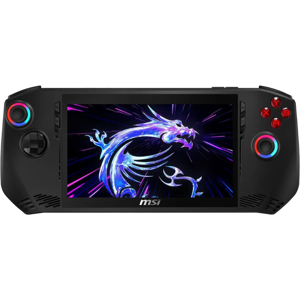
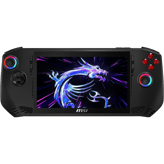
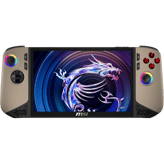
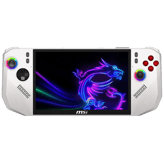
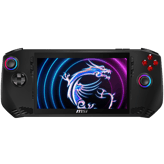
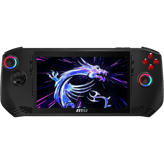
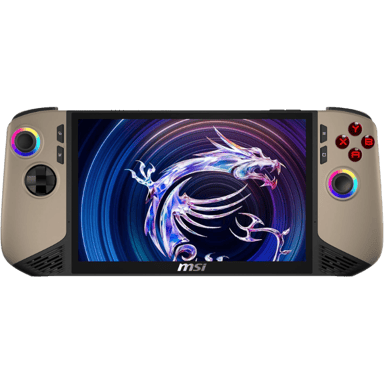
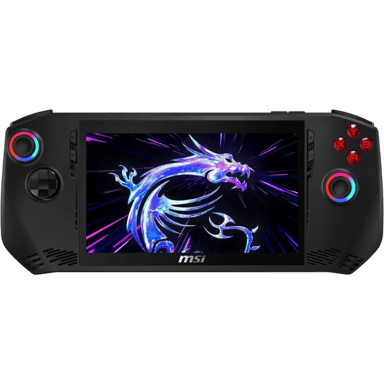
MSI Claw 8 AI+
vs
MSI Claw 7:
15 Highlights & 32 Differences —
Which One Excels In Portability And Design?
Both cater to gamers but differ in tech and usability. We'll uncover which excels in real play.
Choosing the better handheld console? This comparison shows MSI Claw 8 AI+ vs MSI Claw 7 side by side — from intended user, color options, portability focus & expandability to what users love.
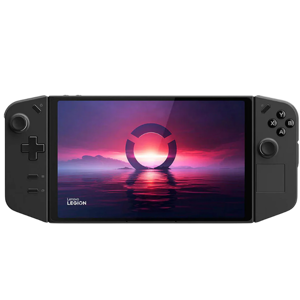
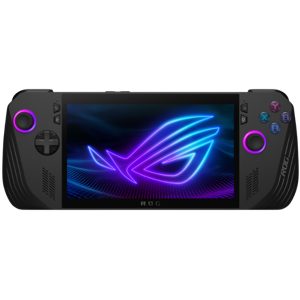
MSI Claw 8 AI+ vs MSI Claw 7: A Battle of Portable Gaming Giants
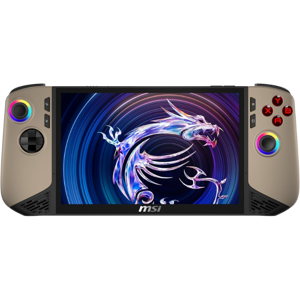
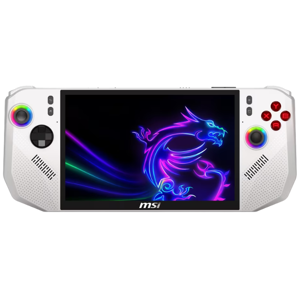
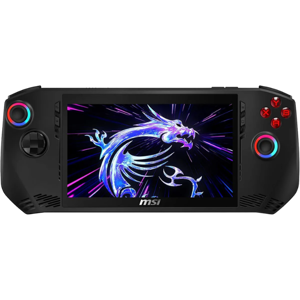
When it comes to handheld gaming devices designed for serious play, MSI's Claw 8 AI+ and Claw 7 offer gamers powerful performance wrapped in portable designs. Both models boast global compatibility, extensive expandability options, and support for high-end gaming with high graphics performance tiers. They also share key software features like backward compatibility, emulation, modding abilities, and a robust multiplayer ecosystem.
However, the MSI Claw 8 AI+ leans into cutting-edge hardware, offering a way faster CPU alongside a slightly taller 16:10 display aspect ratio, enhanced battery standby, and a richer accessory ecosystem. In contrast, the Claw 7 caters to gamers who value compactness, rugged durability with Gorilla Glass, louder audio output, and a longer average battery life. This comparison unpacks these nuances while weighing what each handheld brings to the table.
Performance and Powerhouse Features of MSI Claw 8 AI+
The Claw 8 AI+ is engineered for those seeking the edge in raw processing prowess. Its impressive CPU clock speed of 4.8 GHz far outpaces the Claw 7's 2.2 GHz, ensuring buttery-smooth gameplay and responsive multitasking even under heavy loads. This makes it ideal for gamers who push demanding titles or engage in productive tasks on the go.
The device sports a 16:10 aspect ratio display with high brightness and HDR support, resulting in vivid, immersive visuals with a bit more vertical screen real estate; great for both gaming and media consumption. Although lacking physical screen protection, this visually immersive panel complements the device's strong internal hardware.
Battery-wise, the Claw 8 AI+ shines in standby, lasting up to 7 days, thanks to a high-capacity battery paired with efficient power consumption. While active gaming sessions average around 4 to 6 hours, its larger cell ensures longer unplugged times when idle.
The accessory lineup is another compelling aspect. It boasts an extensive official accessory ecosystem, including display attachments and a protective case, enhancing both the experience and device protection. The availability of replacement parts and charging accessories further extends its usability.
MSI Claw 7: Compact Durability With Enhanced Audio
While the Claw 8 AI+ excels with high-end specs, the Claw 7's lightweight design at just 1.49 lbs delivers superior portability and ease of use during long gaming sessions. Its smaller 12-inch package width also makes it one of the more compact units in this category, ideal for those who prefer a less bulky handheld.
A standout feature is its Gorilla Glass screen protection, providing peace of mind against drops and scratches, elevating its durability over the Claw 8 AI+. Also, its native 16:9 display aspect ratio remains standard for many gamers and content creators, ensuring compatibility and a familiar viewing experience.
Moreover, the Claw 7 shines in audio output with its 4 watts of speaker power, doubling that of the Claw 8 AI+'s 2 watts. This results in richer, louder sound without needing headphones, a bonus for immersive gaming on the go or casual media listening.
Battery life here is slightly more favorable during continuous use, delivering about 6 hours per charge on average, coupled with a moderate battery capacity; a well-balanced compromise between endurance and portability. Though the standby battery life is shorter (up to 3 days), it supports the fast-paced lifestyle of users who game more actively.
Quick Take
The MSI Claw 8 AI+ stands out for gamers chasing peak CPU power, a slightly taller and vibrant display, and extended standby times backed by a full suite of accessories. Meanwhile, the MSI Claw 7 offers remarkable portability, solid durability thanks to Gorilla Glass, and superior audio output, all at a friendlier price point.
Bottom Line
If you need the absolute best in performance merged with a versatile, expandable ecosystem, the MSI Claw 8 AI+ is the smarter investment despite its higher cost. On the flip side, if you prefer a rugged, easily portable handheld with punchy speakers and dependable battery life for your casual or intense gaming sessions, the MSI Claw 7 remains a compelling choice.
Verdict
Winner: MSI Claw 8 AI+ - For its superior CPU speed, enhanced display ratio, and comprehensive accessory ecosystem suited for dedicated gamers and power users.
Runner-up: MSI Claw 7 - For delivering portability, ruggedness with Gorilla Glass protection, and louder audio at a more affordable price.
Side by side. The numbers. The features. No drama.
Whether you’re upgrading or switching brands, this handheld consoles battle of MSI Claw 8 AI+ vs MSI Claw 7 puts the facts (and favorites) in your hands.
0
MSI Claw 8 AI+
0Votes
Power Saving, Balanced, Performance
0
MSI Claw 7
0Votes
Power Saving, Balanced, Performance
vs
Performance Modes
Performance modes such as Power Saving, Balanced, and Performance are supported by MSI Claw 8 AI+ and MSI Claw 7, providing user control over power and performance.
Defines selectable system performance profiles.
In the battle of Performance Modes,
MSI Claw 8 AI+ ◉ is
same as
MSI Claw 7 ◉
.
Don’t keep it to yourself — be the first to react and review the
Performance Modes on MSI Claw 8 AI+ ◉
vs MSI Claw 7 ◉ and help others decide!
Internal storage capacity is high on both MSI Claw 8 AI+ and MSI Claw 7, allowing for ample game storage and media.
Categorizes built-in storage space for games and data.
In the battle of Internal Storage Capacity,
MSI Claw 8 AI+ ◉ is
same as
MSI Claw 7 ◉
.
Don’t keep it to yourself — be the first to react and review the
Internal Storage Capacity on MSI Claw 8 AI+ ◉
vs MSI Claw 7 ◉ and help others decide!
CPU Clock Speed
What is the CPU clock speed?
4.8
GHz
1Votes
2.2
GHz
0Votes
vs
CPU Clock Speed
MSI Claw 8 AI+ boasts a CPU clock speed of 4.8 GHz, which is significantly faster than MSI Claw 7's 2.2 GHz, making the Claw 8 AI+ better for CPU-intensive tasks.
Shows the operating speed of the CPU.
In the battle of CPU Clock Speed,
MSI Claw 8 AI+ ◉ is
better than
MSI Claw 7 ◉
, delivering
higher
2.6 GHz
measurement.
Based on community votes for CPU Clock Speed,
MSI Claw 8 AI+ ◉ earned
1 votes,
more than
MSI Claw 7 ◉,
which got 0 votes.
The CPU clock speed on the Claw 8 AI+ is way better for gaming performance.
See more
Storage Type
What type of storage does it use?
0
MSI Claw 8 AI+
0Votes
NVMe
0
MSI Claw 7
0Votes
SSD
MSI Claw 8 AI+
Storage type is NVMe, providing high-speed data access and improved load times.
MSI Claw 7
Solid State Drive storage offers high speed data access and reliability compared to traditional hard drives, improving load times and system responsiveness.
Describes the internal storage technology.
In the battle of Storage Type,
MSI Claw 8 AI+ ◉ is
same as
MSI Claw 7 ◉
.
Don’t keep it to yourself — be the first to react and review the
Storage Type on MSI Claw 8 AI+ ◉
vs MSI Claw 7 ◉ and help others decide!
Memory Type
What type of memory does it use?
0
MSI Claw 8 AI+
0Votes
LPDDR5
0
MSI Claw 7
0Votes
LPDDR5
MSI Claw 7
LPDDR5 memory type offers higher bandwidth and greater power efficiency compared to previous standards.
Specifies the type of memory technology used by the system.
In the battle of Memory Type,
MSI Claw 8 AI+ ◉ is
same as
MSI Claw 7 ◉
.
Don’t keep it to yourself — be the first to react and review the
Memory Type on MSI Claw 8 AI+ ◉
vs MSI Claw 7 ◉ and help others decide!
Expandable Storage Type
What expandable storage type is supported?
0
MSI Claw 8 AI+
0Votes
microSDXC
0
MSI Claw 7
0Votes
microSD
MSI Claw 8 AI+
Expandable storage uses the microSDXC format, enabling high-capacity memory expansion.
Indicates supported expandable storage formats.
In the battle of Expandable Storage Type,
MSI Claw 8 AI+ ◉ is
same as
MSI Claw 7 ◉
.
Don’t keep it to yourself — be the first to react and review the
Expandable Storage Type on MSI Claw 8 AI+ ◉
vs MSI Claw 7 ◉ and help others decide!
Processor Type
What processor type does it use?
0
MSI Claw 8 AI+
0Votes
x86
0
MSI Claw 7
0Votes
x86
Identifies the processor architecture used by the handheld console.
In the battle of Processor Type,
MSI Claw 8 AI+ ◉ is
same as
MSI Claw 7 ◉
.
Don’t keep it to yourself — be the first to react and review the
Processor Type on MSI Claw 8 AI+ ◉
vs MSI Claw 7 ◉ and help others decide!
CPU Cores
How many cpu cores does it have?
0
MSI Claw 8 AI+
0Votes
High
0
MSI Claw 7
0Votes
High
vs
CPU Cores
Both MSI Claw 8 AI+ and MSI Claw 7 have a high number of CPU cores, supporting efficient multitasking and gaming performance.
Categorizes the CPU core count level for multitasking and performance.
In the battle of CPU Cores,
MSI Claw 8 AI+ ◉ is
same as
MSI Claw 7 ◉
.
Don’t keep it to yourself — be the first to react and review the
CPU Cores on MSI Claw 8 AI+ ◉
vs MSI Claw 7 ◉ and help others decide!
GPU Type
What type of gpu does it use?
0
MSI Claw 8 AI+
0Votes
Dedicated
0
MSI Claw 7
0Votes
Integrated
Describes the type of graphics processor used for rendering visuals.
In the battle of GPU Type,
MSI Claw 8 AI+ ◉ is
same as
MSI Claw 7 ◉
.
Don’t keep it to yourself — be the first to react and review the
GPU Type on MSI Claw 8 AI+ ◉
vs MSI Claw 7 ◉ and help others decide!
System Memory Capacity
How much system memory is available?
0
MSI Claw 8 AI+
0Votes
High
0
MSI Claw 7
0Votes
High
Categorizes available system memory for games and applications.
In the battle of System Memory Capacity,
MSI Claw 8 AI+ ◉ is
same as
MSI Claw 7 ◉
.
Don’t keep it to yourself — be the first to react and review the
System Memory Capacity on MSI Claw 8 AI+ ◉
vs MSI Claw 7 ◉ and help others decide!
Cooling Method
What cooling method is used?
0
MSI Claw 8 AI+
0Votes
Active
0
MSI Claw 7
0Votes
Active
Describes how heat is managed internally.
In the battle of Cooling Method,
MSI Claw 8 AI+ ◉ is
same as
MSI Claw 7 ◉
.
Don’t keep it to yourself — be the first to react and review the
Cooling Method on MSI Claw 8 AI+ ◉
vs MSI Claw 7 ◉ and help others decide!
Thermal Design Rating
How strong is the thermal design?
0
MSI Claw 8 AI+
0Votes
High
0
MSI Claw 7
0Votes
High
Indicates thermal tolerance under load.
In the battle of Thermal Design Rating,
MSI Claw 8 AI+ ◉ is
same as
MSI Claw 7 ◉
.
Don’t keep it to yourself — be the first to react and review the
Thermal Design Rating on MSI Claw 8 AI+ ◉
vs MSI Claw 7 ◉ and help others decide!
Multitasking
Does it support multitasking?
Yes
0Votes
MSI Claw 8 AI+
Yes
0Votes
MSI Claw 7
Indicates ability to run multiple tasks smoothly.
In the battle of Multitasking,
MSI Claw 8 AI+ ◉ is
same as
MSI Claw 7 ◉
.
Don’t keep it to yourself — be the first to react and review the
Multitasking on MSI Claw 8 AI+ ◉
vs MSI Claw 7 ◉ and help others decide!
Boot Time
How fast is the boot time?
0
MSI Claw 8 AI+
0Votes
Fast
0
MSI Claw 7
0Votes
Fast
Describes how quickly the system starts up from power on.
In the battle of Boot Time,
MSI Claw 8 AI+ ◉ is
same as
MSI Claw 7 ◉
.
Don’t keep it to yourself — be the first to react and review the
Boot Time on MSI Claw 8 AI+ ◉
vs MSI Claw 7 ◉ and help others decide!
Load Time Optimization
Are load times optimized?
Yes
0Votes
MSI Claw 8 AI+
Yes
0Votes
MSI Claw 7
Indicates optimizations for faster game loading.
In the battle of Load Time Optimization,
MSI Claw 8 AI+ ◉ is
same as
MSI Claw 7 ◉
.
Don’t keep it to yourself — be the first to react and review the
Load Time Optimization on MSI Claw 8 AI+ ◉
vs MSI Claw 7 ◉ and help others decide!
Hardware Acceleration
Is hardware acceleration supported?
Yes
0Votes
MSI Claw 8 AI+
Yes
0Votes
MSI Claw 7
Shows support for hardware-level performance boosts.
In the battle of Hardware Acceleration,
MSI Claw 8 AI+ ◉ is
same as
MSI Claw 7 ◉
.
Don’t keep it to yourself — be the first to react and review the
Hardware Acceleration on MSI Claw 8 AI+ ◉
vs MSI Claw 7 ◉ and help others decide!
System Stability Rating
How stable is the system?
0
MSI Claw 8 AI+
0Votes
High
0
MSI Claw 7
0Votes
High
Rates stability under sustained usage.
In the battle of System Stability Rating,
MSI Claw 8 AI+ ◉ is
same as
MSI Claw 7 ◉
.
Don’t keep it to yourself — be the first to react and review the
System Stability Rating on MSI Claw 8 AI+ ◉
vs MSI Claw 7 ◉ and help others decide!
Software audio enhancement technology is integrated in both MSI Claw 8 AI+ and MSI Claw 7, improving sound quality via digital processing.
Refers to technologies used to improve sound quality, clarity, or spatial effects.
In the battle of Audio Enhancement Technology,
MSI Claw 8 AI+ ◉ is
same as
MSI Claw 7 ◉
.
Don’t keep it to yourself — be the first to react and review the
Audio Enhancement Technology on MSI Claw 8 AI+ ◉
vs MSI Claw 7 ◉ and help others decide!
Audio latency is low on both MSI Claw 8 AI+ and MSI Claw 7, essential for real-time audio feedback in gaming and communication.
Categorizes the delay between audio output and on-screen action.
In the battle of Audio Latency,
MSI Claw 8 AI+ ◉ is
same as
MSI Claw 7 ◉
.
Don’t keep it to yourself — be the first to react and review the
Audio Latency on MSI Claw 8 AI+ ◉
vs MSI Claw 7 ◉ and help others decide!
Audio Codec
Which audio codecs are supported?
0
MSI Claw 8 AI+
0Votes
SBC, AAC, aptX, LDAC
0
MSI Claw 7
0Votes
SBC, AAC
MSI Claw 8 AI+
Supported audio codecs include SBC, AAC, aptX, and LDAC, offering a wide range of wireless audio quality options.
Indicates supported audio codecs for wired or wireless audio transmission.
In the battle of Audio Codec,
MSI Claw 8 AI+ ◉ is
same as
MSI Claw 7 ◉
.
Don’t keep it to yourself — be the first to react and review the
Audio Codec on MSI Claw 8 AI+ ◉
vs MSI Claw 7 ◉ and help others decide!
Speaker Configuration
What is the speaker configuration?
0
MSI Claw 8 AI+
0Votes
Stereo
0
MSI Claw 7
0Votes
Stereo
Describes the number and arrangement of built-in speakers.
In the battle of Speaker Configuration,
MSI Claw 8 AI+ ◉ is
same as
MSI Claw 7 ◉
.
Don’t keep it to yourself — be the first to react and review the
Speaker Configuration on MSI Claw 8 AI+ ◉
vs MSI Claw 7 ◉ and help others decide!
Microphone Type
What type of microphone is included?
0
MSI Claw 8 AI+
0Votes
Built-in
0
MSI Claw 7
0Votes
Built-in
Describes the microphone configuration used for voice input.
In the battle of Microphone Type,
MSI Claw 8 AI+ ◉ is
same as
MSI Claw 7 ◉
.
Don’t keep it to yourself — be the first to react and review the
Microphone Type on MSI Claw 8 AI+ ◉
vs MSI Claw 7 ◉ and help others decide!
Microphone Noise Cancellation
Is noise cancellation supported?
Yes
0Votes
MSI Claw 8 AI+
Yes
0Votes
MSI Claw 7
Indicates whether background noise is reduced during voice input.
In the battle of Microphone Noise Cancellation,
MSI Claw 8 AI+ ◉ is
same as
MSI Claw 7 ◉
.
Don’t keep it to yourself — be the first to react and review the
Microphone Noise Cancellation on MSI Claw 8 AI+ ◉
vs MSI Claw 7 ◉ and help others decide!
Surround Sound
Is surround sound supported?
Yes
0Votes
MSI Claw 8 AI+
Yes
0Votes
MSI Claw 7
Indicates support for virtual or spatial surround sound.
In the battle of Surround Sound,
MSI Claw 8 AI+ ◉ is
same as
MSI Claw 7 ◉
.
Don’t keep it to yourself — be the first to react and review the
Surround Sound on MSI Claw 8 AI+ ◉
vs MSI Claw 7 ◉ and help others decide!
In the battle of Charging Port Type,
MSI Claw 8 AI+ ◉ is
same as
MSI Claw 7 ◉
.
Don’t keep it to yourself — be the first to react and review the
Charging Port Type on MSI Claw 8 AI+ ◉
vs MSI Claw 7 ◉ and help others decide!
Gaming Battery Life
How long does it last while gaming?
0
MSI Claw 8 AI+
0Votes
2-3 hours
0
MSI Claw 7
0Votes
2 hours
MSI Claw 8 AI+
The gaming battery life ranges from 2-3 hours, which is typical for high-performance handheld consoles balancing power and portability.
MSI Claw 7
Gaming battery life of 2 hours reflects the expected playtime under intensive gaming conditions before recharge is needed.
Runtime specifically during active gaming sessions.
In the battle of Gaming Battery Life,
MSI Claw 8 AI+ ◉ is
same as
MSI Claw 7 ◉
.
Don’t keep it to yourself — be the first to react and review the
Gaming Battery Life on MSI Claw 8 AI+ ◉
vs MSI Claw 7 ◉ and help others decide!
Video Playback Battery Life
How long does it last during video playback?
0
MSI Claw 8 AI+
0Votes
8-10 hours
0
MSI Claw 7
0Votes
8 hours
MSI Claw 8 AI+
Video playback battery life spans between 8-10 hours, suitable for extended media viewing sessions.
MSI Claw 7
The video playback battery life of 8 hours indicates how long you can expect to watch videos continuously on a full charge, which is quite sufficient for extended media consumption sessions.
Battery duration when playing video content.
In the battle of Video Playback Battery Life,
MSI Claw 8 AI+ ◉ is
same as
MSI Claw 7 ◉
.
Don’t keep it to yourself — be the first to react and review the
Video Playback Battery Life on MSI Claw 8 AI+ ◉
vs MSI Claw 7 ◉ and help others decide!
Charging Time
How long does it take to charge?
0
MSI Claw 8 AI+
0Votes
2 hours
0
MSI Claw 7
0Votes
2 hours
MSI Claw 7
Charging time of 2 hours is relatively quick for handheld consoles, minimizing downtime between play sessions.
Time required to fully charge the battery.
In the battle of Charging Time,
MSI Claw 8 AI+ ◉ is
same as
MSI Claw 7 ◉
.
Don’t keep it to yourself — be the first to react and review the
Charging Time on MSI Claw 8 AI+ ◉
vs MSI Claw 7 ◉ and help others decide!
Battery Type
What type of battery does it use?
0
MSI Claw 8 AI+
0Votes
Lithium-Polymer
0
MSI Claw 7
0Votes
Lithium-Ion
Specifies the chemistry of the internal battery.
In the battle of Battery Type,
MSI Claw 8 AI+ ◉ is
same as
MSI Claw 7 ◉
.
Don’t keep it to yourself — be the first to react and review the
Battery Type on MSI Claw 8 AI+ ◉
vs MSI Claw 7 ◉ and help others decide!
Charging Method
How is the device charged?
0
MSI Claw 8 AI+
0Votes
Wired
0
MSI Claw 7
0Votes
Wired
Describes how the device is charged.
In the battle of Charging Method,
MSI Claw 8 AI+ ◉ is
same as
MSI Claw 7 ◉
.
Don’t keep it to yourself — be the first to react and review the
Charging Method on MSI Claw 8 AI+ ◉
vs MSI Claw 7 ◉ and help others decide!
Fast Charging
Does it support fast charging?
Yes
0Votes
MSI Claw 8 AI+
Yes
0Votes
MSI Claw 7
Indicates support for rapid charging.
In the battle of Fast Charging,
MSI Claw 8 AI+ ◉ is
same as
MSI Claw 7 ◉
.
Don’t keep it to yourself — be the first to react and review the
Fast Charging on MSI Claw 8 AI+ ◉
vs MSI Claw 7 ◉ and help others decide!
Replaceable Battery
Is the battery replaceable?
No
0Votes
MSI Claw 8 AI+
No
0Votes
MSI Claw 7
Indicates whether the battery can be user-replaced.
In the battle of Replaceable Battery,
MSI Claw 8 AI+ ◉ is
same as
MSI Claw 7 ◉
.
Don’t keep it to yourself — be the first to react and review the
Replaceable Battery on MSI Claw 8 AI+ ◉
vs MSI Claw 7 ◉ and help others decide!
Power Saving Mode
Is there a power saving mode?
Yes
0Votes
MSI Claw 8 AI+
Yes
0Votes
MSI Claw 7
Shows support for reduced power usage modes.
In the battle of Power Saving Mode,
MSI Claw 8 AI+ ◉ is
same as
MSI Claw 7 ◉
.
Don’t keep it to yourself — be the first to react and review the
Power Saving Mode on MSI Claw 8 AI+ ◉
vs MSI Claw 7 ◉ and help others decide!
Overcharge Protection
Is overcharge protection included?
Yes
0Votes
MSI Claw 8 AI+
Yes
0Votes
MSI Claw 7
Indicates built-in protection against overcharging.
In the battle of Overcharge Protection,
MSI Claw 8 AI+ ◉ is
same as
MSI Claw 7 ◉
.
Don’t keep it to yourself — be the first to react and review the
Overcharge Protection on MSI Claw 8 AI+ ◉
vs MSI Claw 7 ◉ and help others decide!
Indicates whether the system boots using verified software.
In the battle of Secure Boot,
MSI Claw 8 AI+ ◉ is
same as
MSI Claw 7 ◉
.
Don’t keep it to yourself — be the first to react and review the
Secure Boot on MSI Claw 8 AI+ ◉
vs MSI Claw 7 ◉ and help others decide!
User Authentication Method
How do users authenticate?
0
MSI Claw 8 AI+
0Votes
Biometric
0
MSI Claw 7
0Votes
Biometric
MSI Claw 8 AI+
User authentication uses biometric methods, enhancing security and simplifying login.
MSI Claw 7
Biometric user authentication provides secure and convenient identity verification such as fingerprint or facial recognition.
Describes how users authenticate to access the device.
In the battle of User Authentication Method,
MSI Claw 8 AI+ ◉ is
same as
MSI Claw 7 ◉
.
Don’t keep it to yourself — be the first to react and review the
User Authentication Method on MSI Claw 8 AI+ ◉
vs MSI Claw 7 ◉ and help others decide!
Data Encryption
Is data encrypted on the device?
Yes
0Votes
MSI Claw 8 AI+
Yes
0Votes
MSI Claw 7
Indicates whether stored data is encrypted.
In the battle of Data Encryption,
MSI Claw 8 AI+ ◉ is
same as
MSI Claw 7 ◉
.
Don’t keep it to yourself — be the first to react and review the
Data Encryption on MSI Claw 8 AI+ ◉
vs MSI Claw 7 ◉ and help others decide!
Biometric
Does it support biometrics?
Yes
0Votes
MSI Claw 8 AI+
Yes
0Votes
MSI Claw 7
Indicates support for fingerprint or facial recognition.
In the battle of Biometric,
MSI Claw 8 AI+ ◉ is
same as
MSI Claw 7 ◉
.
Don’t keep it to yourself — be the first to react and review the
Biometric on MSI Claw 8 AI+ ◉
vs MSI Claw 7 ◉ and help others decide!
Theft Protection
Is theft protection available?
Yes
0Votes
MSI Claw 8 AI+
Yes
0Votes
MSI Claw 7
Shows availability of device tracking or lock features.
In the battle of Theft Protection,
MSI Claw 8 AI+ ◉ is
same as
MSI Claw 7 ◉
.
Don’t keep it to yourself — be the first to react and review the
Theft Protection on MSI Claw 8 AI+ ◉
vs MSI Claw 7 ◉ and help others decide!
In the battle of Official Accessory Ecosystem,
MSI Claw 8 AI+ ◉ is
same as
MSI Claw 7 ◉
.
Don’t keep it to yourself — be the first to react and review the
Official Accessory Ecosystem on MSI Claw 8 AI+ ◉
vs MSI Claw 7 ◉ and help others decide!
In the battle of Replacement Parts Availability,
MSI Claw 8 AI+ ◉ is
same as
MSI Claw 7 ◉
.
Don’t keep it to yourself — be the first to react and review the
Replacement Parts Availability on MSI Claw 8 AI+ ◉
vs MSI Claw 7 ◉ and help others decide!
Dock
Is a dock included?
No
0Votes
MSI Claw 8 AI+
No
0Votes
MSI Claw 7
Indicates whether a docking station is included in the box.
In the battle of Dock,
MSI Claw 8 AI+ ◉ is
same as
MSI Claw 7 ◉
.
Don’t keep it to yourself — be the first to react and review the
Dock on MSI Claw 8 AI+ ◉
vs MSI Claw 7 ◉ and help others decide!
Controller Compatibility
Are external controllers compatible?
Yes
0Votes
MSI Claw 8 AI+
Yes
0Votes
MSI Claw 7
Shows whether external controllers are supported.
In the battle of Controller Compatibility,
MSI Claw 8 AI+ ◉ is
same as
MSI Claw 7 ◉
.
Don’t keep it to yourself — be the first to react and review the
Controller Compatibility on MSI Claw 8 AI+ ◉
vs MSI Claw 7 ◉ and help others decide!
External Controller
What type of external controllers are supported?
0
MSI Claw 8 AI+
0Votes
Both
0
MSI Claw 7
0Votes
Both
Describes supported controller connection types.
In the battle of External Controller,
MSI Claw 8 AI+ ◉ is
same as
MSI Claw 7 ◉
.
Don’t keep it to yourself — be the first to react and review the
External Controller on MSI Claw 8 AI+ ◉
vs MSI Claw 7 ◉ and help others decide!
Storage Accessories
Are storage accessories supported?
Yes
0Votes
MSI Claw 8 AI+
No
0Votes
MSI Claw 7
Indicates compatibility with storage add-ons.
In the battle of Storage Accessories,
MSI Claw 8 AI+ ◉ is
better than
MSI Claw 7 ◉
.
Don’t keep it to yourself — be the first to react and review the
Storage Accessories on MSI Claw 8 AI+ ◉
vs MSI Claw 7 ◉ and help others decide!
Audio Accessories
Are audio accessories supported?
Yes
0Votes
MSI Claw 8 AI+
No
0Votes
MSI Claw 7
Shows compatibility with audio accessories.
In the battle of Audio Accessories,
MSI Claw 8 AI+ ◉ is
better than
MSI Claw 7 ◉
.
Don’t keep it to yourself — be the first to react and review the
Audio Accessories on MSI Claw 8 AI+ ◉
vs MSI Claw 7 ◉ and help others decide!
Display Accessories
Are display accessories supported?
Yes
0Votes
MSI Claw 8 AI+
No
0Votes
MSI Claw 7
Indicates support for display-related accessories.
In the battle of Display Accessories,
MSI Claw 8 AI+ ◉ is
better than
MSI Claw 7 ◉
.
Don’t keep it to yourself — be the first to react and review the
Display Accessories on MSI Claw 8 AI+ ◉
vs MSI Claw 7 ◉ and help others decide!
Third-Party Accessory
Are third-party accessories supported?
Yes
0Votes
MSI Claw 8 AI+
Yes
0Votes
MSI Claw 7
Indicates compatibility with third-party accessories.
In the battle of Third-Party Accessory,
MSI Claw 8 AI+ ◉ is
same as
MSI Claw 7 ◉
.
Don’t keep it to yourself — be the first to react and review the
Third-Party Accessory on MSI Claw 8 AI+ ◉
vs MSI Claw 7 ◉ and help others decide!
Accessory Expansion
Does it support accessory expansion?
Yes
0Votes
MSI Claw 8 AI+
Yes
0Votes
MSI Claw 7
Indicates support for future accessory expansion.
In the battle of Accessory Expansion,
MSI Claw 8 AI+ ◉ is
same as
MSI Claw 7 ◉
.
Don’t keep it to yourself — be the first to react and review the
Accessory Expansion on MSI Claw 8 AI+ ◉
vs MSI Claw 7 ◉ and help others decide!
Surveys
Because hot takes deserve votes.
Battery Life
How satisfied are you with the battery life of this handheld console during normal gaming use?
Outstanding battery life — Over 8 hours of continuous play
0Votes
0Votes
Very good battery life — 6 to 8 hours of play
0Votes
0Votes
Decent battery life — 4 to 6 hours of play
0Votes
0Votes
Short battery life — 2 to 4 hours of play
0Votes
0Votes
Very short battery life — Under 2 hours of play
0Votes
0Votes
Gaming Performance
How would you rate the gaming performance of this handheld console for modern games?
Exceptionally smooth performance — 60 fps or higher
0Votes
0Votes
Very smooth performance — 45 to 60 fps
0Votes
0Votes
Acceptable performance — 30 to 45 fps
0Votes
0Votes
Frequent slowdowns — 20 to 30 fps
0Votes
0Votes
Poor performance — Under 20 fps
0Votes
0Votes
Screen Size
How do you feel about the screen size of this handheld console for gaming and viewing?
Perfectly immersive screen — Over 7 inches
0Votes
0Votes
Large and enjoyable screen — 6.5 to 7 inches
0Votes
0Votes
Comfortable screen size — 6 to 6.4 inches
0Votes
0Votes
Somewhat small screen — 5.5 to 5.9 inches
0Votes
0Votes
Too small to enjoy — Under 5.5 inches
0Votes
0Votes
Too small to enjoy — Under 5.5 inches
How satisfied are you with the display quality of this handheld console?
Crisp and vibrant visuals — 1080p or higher resolution
0Votes
0Votes
Sharp and clear visuals — Around 900p resolution
0Votes
0Votes
Good enough visuals — Around 720p resolution
0Votes
0Votes
Noticeably soft visuals — Below 720p resolution
0Votes
0Votes
Poor display quality — Low resolution and dull colors
0Votes
0Votes
Weight and Portability
How comfortable is the weight of this handheld console for portable gaming?
Extremely portable and light — Under 0.7 pounds
0Votes
0Votes
Easy to carry around — 0.7 to 0.9 pounds
0Votes
0Votes
Acceptable weight — 0.9 to 1.2 pounds
0Votes
0Votes
Feels heavy after a while — 1.2 to 1.5 pounds
0Votes
0Votes
Too heavy for handheld use — Over 1.5 pounds
0Votes
0Votes
Build Quality and Durability
How would you rate the build quality and durability of this handheld console?
Feels premium and very sturdy — Expected to last over 5 years
0Votes
0Votes
Solid and well-built — Expected to last 3 to 5 years
0Votes
0Votes
Decent build quality — Expected to last 2 to 3 years
0Votes
0Votes
Feels somewhat fragile — Expected to last 1 to 2 years
0Votes
0Votes
Poor build quality — Likely under 1 year of use
0Votes
0Votes
Controls and Comfort
How comfortable are the controls of this handheld console during long play sessions?
Extremely comfortable and ergonomic — Easy to use for 3+ hours
0Votes
0Votes
Very comfortable controls — Easy to use for 2 to 3 hours
0Votes
0Votes
Comfortable enough — Fine for 1 to 2 hours
0Votes
0Votes
Causes some hand fatigue — Uncomfortable after 1 hour
0Votes
0Votes
Very uncomfortable controls — Painful within 30 minutes
0Votes
0Votes
Ease of Setup
How easy is it to set up and start using this handheld console?
Instant and effortless setup — Ready in under 5 minutes
0Votes
0Votes
Very easy setup process — Ready in 5 to 10 minutes
0Votes
0Votes
Reasonable setup effort — Ready in 10 to 20 minutes
0Votes
0Votes
Somewhat confusing setup — Takes 20 to 30 minutes
0Votes
0Votes
Frustrating setup experience — Takes over 30 minutes
0Votes
0Votes
Software and Interface
How enjoyable is the software interface of this handheld console to use?
Smooth, intuitive, and enjoyable — Everything feels effortless
0Votes
0Votes
Clean and easy to navigate — Minor learning curve
0Votes
0Votes
Functional but basic — Gets the job done
0Votes
0Votes
Cluttered and confusing — Hard to find features
0Votes
0Votes
Frustrating and slow — Makes usage unpleasant
0Votes
0Votes
Pricing and Value
How do you feel about the price of this handheld console compared to what it offers?
 Supermod
 Moderator

 Recaptor
 0
Cartling
0
Cartling